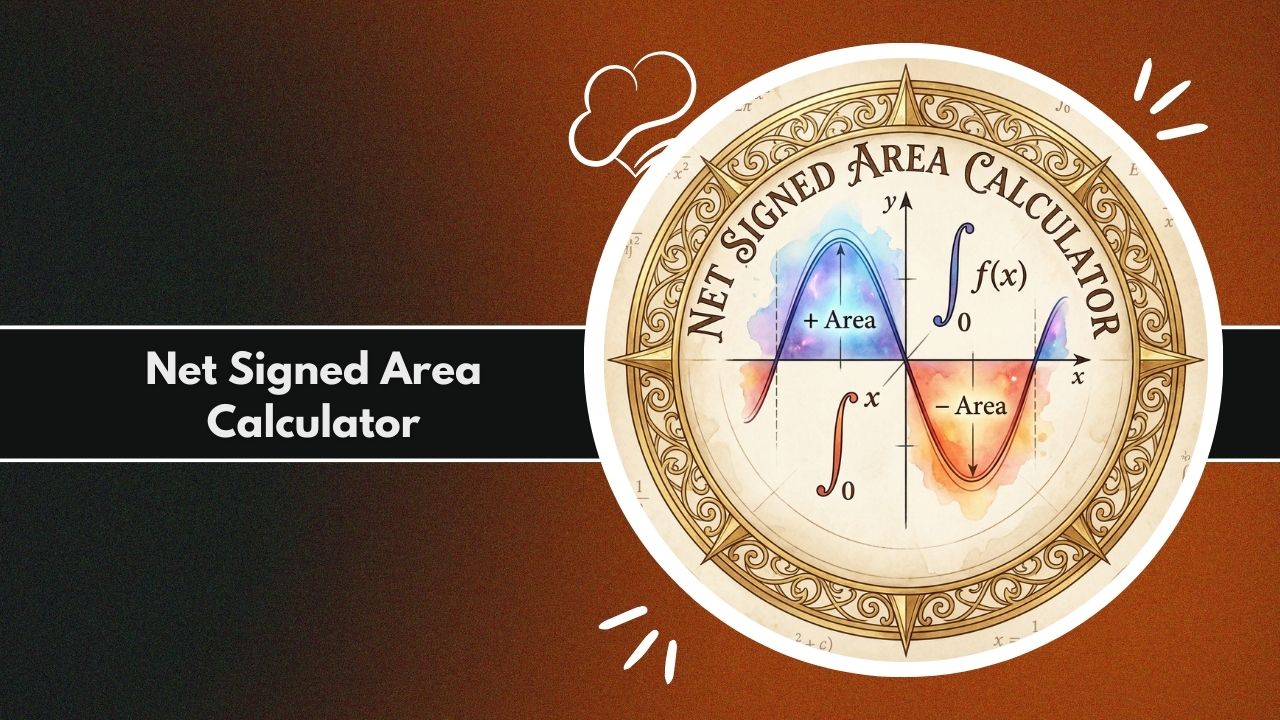
Calculate definite integrals instantly with the Net Signed Area Calculator. Analyze positive and negative regions under curves, graph functions, and solve complex calculus problems easily.
Calculation Results
Introduction to the Net Signed Area Calculator
Calculus is the mathematical study of continuous change, and one of its most fundamental concepts is the integral. When students, engineers, and scientists work with functions, they often need to determine the accumulation of a quantity over a specific interval. This accumulation is rarely a simple geometric calculation; it involves understanding how a function behaves relative to the horizontal axis. The Net Signed Area Calculator is a specialized digital instrument designed to solve this specific problem by computing the definite integral of a function.
Unlike basic area tools that treat all space as positive physical territory, the Net Signed Area Calculator respects the directional nature of mathematical functions. It distinguishes between regions where the curve is above the x-axis and regions where it is below. This distinction is crucial for accurate analysis in physics, engineering, and economics.
For instance, when calculating displacement from a velocity-time graph, backward motion must subtract from forward motion. A standard area tool would add them, giving an incorrect distance, whereas the Net Signed Area Calculator provides the correct net displacement.
We will explore how the Net Signed Area Calculator functions, the mathematical principles of definite integrals, practical applications across industries, and how to interpret positive versus negative accumulation. Whether you are verifying manual homework calculations or analyzing signal waveforms, understanding the mechanics of this calculator is essential for success in higher mathematics.
What Net Signed Area Represents in Calculus
In the realm of calculus, “area” takes on a more nuanced meaning than it does in geometry. Geometric area is always a non-negative quantity; you cannot paint a wall with negative square footage. However, calculus introduces the concept of “signed area.” The Net Signed Area Calculator computes the algebraic sum of the areas between the function f(x) and the x-axis.
The convention used by the Net Signed Area Calculator is standard across mathematics:
- Positive Area: The region bounded by the curve and the x-axis where f(x) is greater than zero (above the axis).
- Negative Area: The region bounded by the curve and the x-axis where f(x) is less than zero (below the axis).
Mathematically, this is represented by the definite integral. When you input a function into the Net Signed Area Calculator, it evaluates the integral from limit a to limit b. If the curve dips below the axis, that portion of the area counts as a negative value. The final result is the “net” value—the positive area minus the absolute value of the negative area. This is distinct from “total area,” which treats all regions as positive.
Why Signed Area Matters for Real-World Calculations
Why do we need a Net Signed Area Calculator instead of just adding up all the space? The answer lies in the physical interpretation of integrals. In the real world, direction and sign matter.
Consider a particle moving along a line. Its velocity can be positive (moving right) or negative (moving left). If you want to know where the particle ends up relative to its starting point (its displacement), you must subtract the backward movement from the forward movement.
A standard area calculation would give you the total distance traveled, which is a different metric. The Net Signed Area Calculator correctly computes the displacement by treating the negative velocity intervals as negative area.
Similarly, in electrical engineering, the average value of a pure sine wave over one full cycle is zero. The positive voltage cancels out the negative voltage. A Net Signed Area Calculator accurately reflects this physics phenomenon, whereas a total area tool would imply a non-zero constant voltage.
From calculating net profit (revenue minus loss) to determining work done by variable forces, the signed nature of the integral is the critical factor that makes the Net Signed Area Calculator an indispensable utility.
What the Net Signed Area Calculator Is
The Net Signed Area Calculator is a computational engine specifically programmed to perform numerical integration. It bridges the gap between abstract calculus symbols and concrete numerical answers. While manual integration requires finding antiderivatives—a process that can be incredibly difficult or impossible for complex functions—this calculator uses algorithmic approaches to determine the area numerically.
At its core, the Net Signed Area Calculator is a function analyzer. It takes a mathematical expression and a defined interval as inputs. It then processes this information to determine how much “weight” the function holds above and below the central axis. It is not designed for measuring physical land or floor plans; rather, it is a pure mathematics tool for analyzing the behavior of f(x) over an interval [a, b].
Purpose of the Calculator
The primary purpose of the Net Signed Area Calculator is to provide accurate evaluations of definite integrals. It serves three main user groups:
- Students and Educators: It acts as a verification tool. Students can solve an integral by hand and use the Net Signed Area Calculator to confirm their answer. It also helps visual learners see the relationship between the graph and the numerical output.
- Professionals in STEM: Engineers and scientists often deal with data or functions that do not have clean, closed-form antiderivatives. The calculator provides a rapid numerical solution for these problems.
- Analysts: In fields like quantitative finance, analyzing the net flow of capital (inflows vs. outflows) modeled by functions requires signed area analysis.
How It Computes Area Above and Below the X-Axis
The Net Signed Area Calculator operates by partitioning the requested interval into smaller sub-intervals. It scans the function f(x) across the range from the start limit a to the end limit b.
For every small step along the x-axis, the calculator evaluates the height of the function.
- If the height y is positive, the calculator adds the area of that thin strip to the running total.
- If the height y is negative, the calculator subtracts the area of that thin strip from the running total.
This accumulation process mimics the Riemann Sum definition of an integral. By summing thousands of these tiny rectangular or trapezoidal strips, the Net Signed Area Calculator converges on the exact value of the definite integral. It effectively balances the “hills” (positive regions) against the “valleys” (negative regions) to produce a single net value.
What the Net Signed Area Calculator Does
The capabilities of the Net Signed Area Calculator extend beyond simple arithmetic. It is a sophisticated parsing and graphing engine that handles various forms of mathematical input to deliver precise calculus insights.
Works With Functions, Graphs, Tables, and Data Sets
The versatility of a Net Signed Area Calculator lies in its input handling.
- Symbolic Functions: Users can type in explicit algebraic or trigonometric expressions, such as sin(x), x^2 – 4, or e^x. The calculator parses these text strings into executable math logic.
- Data Visualization: Most advanced versions of a Net Signed Area Calculator generate a visual graph. This plot highlights the zero-crossing points (roots) where the function transitions from positive to negative area, providing visual context to the numeric result.
- Tabular Logic: While the primary input is usually a function, the underlying logic is compatible with tabular data sets. If a user has a set of (x, y) coordinates from an experiment, numerical integration techniques used by the calculator can determine the net area represented by that discrete data.
Accuracy and Behavior for Complex Curves
Complex curves with multiple roots present a challenge for manual calculation but are handled effortlessly by the Net Signed Area Calculator. For example, a function like cos(3x) oscillates rapidly above and below the axis. Manually, one would have to find every intersection point, set up separate integrals for each section, and subtract the negative ones.
The Net Signed Area Calculator automates this. It does not need to explicitly solve for roots to know the area is negative; it simply sums the negative values during its iterative process. This ensures high accuracy even for functions that cross the x-axis dozens of times within the target interval. The tool handles discontinuities and sharp turns (like absolute value functions) depending on the robustness of the numerical method employed (e.g., Trapezoidal Rule or Simpson’s Rule).
Key Features of the Net Signed Area Calculator
To effectively solve integration problems, the Net Signed Area Calculator includes several specific features designed for usability and mathematical precision.
Input Options for Functions and Data
A robust Net Signed Area Calculator supports a wide array of mathematical syntax. Users can input:
- Polynomials: Terms involving x raised to powers (e.g., 3x^3 + 2x – 5).
- Trigonometry: Standard functions like sin, cos, tan, and their inverses.
- Logarithms and Exponentials: Natural logs (ln or log) and exponential functions (exp or e^).
- Constants: Recognition of mathematical constants like pi and e.
The input fields allow users to specify the Start Limit and End Limit. These define the bounds of integration. Some versions of the Net Signed Area Calculator also allow users to define the “step size” or number of intervals, giving the user control over the precision of the calculation.
Numerical & Symbolic Integration Capabilities
While some calculators use symbolic algebra to find the exact antiderivative, most online Net Signed Area Calculator tools utilize numerical integration. This is often a feature, not a bug, as it allows the tool to solve functions that are impossible to integrate symbolically (such as e to the power of x^2). The numerical engine ensures that an answer is provided regardless of the function’s algebraic complexity.
Graph Visualization and Result Interpretation
Perhaps the most valuable feature is the graphical output. The Net Signed Area Calculator usually plots the curve on a Cartesian plane.
- Green Zones: Areas filled in green (or another distinct color) typically represent positive signed area.
- Red Zones: Areas filled in red represent negative signed area. This visual feedback is immediate. If the result of the Net Signed Area Calculator is near zero, the user can visually verify that the size of the red region roughly equals the size of the green region on the graph.
Mathematical Concepts Behind the Net Signed Area Calculator
To fully utilize the Net Signed Area Calculator, it helps to understand the mathematical engine driving it. The tool relies on the fundamental theorems of calculus and numerical analysis algorithms.
The Definite Integral and Signed Area Explained
The mathematical operation performed is the Definite Integral. Notationally, this is the integral of f(x) with respect to x from a to b. The Net Signed Area Calculator evaluates this expression. The Fundamental Theorem of Calculus states that if F(x) is the antiderivative of f(x), then the integral equals F(b) – F(a). However, this theorem assumes we can find F(x). When we cannot, or when we need a quick estimation, the calculator’s numerical summation approach is used.
Positive vs Negative Area Regions
The concept of “negative area” is abstract. Geometrically, area is scalar and positive. In the context of the Net Signed Area Calculator, the “sign” comes from the y-value of the function.
- Area = Height * Width.
- Width (dx) is generally positive as we move from left to right.
- Height (f(x)) can be negative.
- Therefore, Positive Width * Negative Height = Negative Area. The calculator rigorously applies this logic to ensure the net result accounts for the “loss” or “subtraction” represented by the regions below the axis.
Numerical Methods: Trapezoidal, Simpson’s, Riemann Sums
The software behind a Net Signed Area Calculator typically employs one of several approximation algorithms:
- Riemann Sums: Approximating the area using rectangles. This is the simplest method but requires many intervals for accuracy.
- Trapezoidal Rule: Approximating the area using trapezoids connecting the function points. This conforms better to the curve and offers higher accuracy.
- Simpson’s Rule: Using parabolic arcs to approximate the curve. This is highly accurate for smooth functions. Most modern Net Signed Area Calculator implementations use the Trapezoidal Rule or Simpson’s Rule to balance computational speed with high precision.
Variables and Parameters Used in Signed Area Analysis
The calculations depend on four key parameters:
- The Integrand f(x): The function defining the curve height.
- Lower Limit (a): The starting x-value.
- Upper Limit (b): The ending x-value.
- Delta x (dx): The width of the sub-intervals used by the Net Signed Area Calculator to slice the area.
How to Use the Net Signed Area Calculator Step-by-Step
Using the Net Signed Area Calculator is straightforward, but following a structured process ensures the most accurate results.
Required Inputs for Signed Area Computation
Before starting, ensure you have the correct function syntax.
- Identify your independent variable (usually x).
- Identify your integration limits. Are you integrating from 0 to 10, or -5 to 5?
- Determine the required precision. If the Net Signed Area Calculator allows you to set “intervals,” a higher number (e.g., 1000) yields better accuracy than a lower number (e.g., 10).
Step-by-Step Process for Accurate Results
- Enter the Function: Type your equation into the “Function” or “f(x)” field of the Net Signed Area Calculator. Use standard formatting like
x^2for x-squared orsqrt(x)for square root. - Set the Bounds: Input your Lower Limit (a) and Upper Limit (b). Ensure these are real numbers. You can often use pi or e as limits.
- Select Intervals: If available, set the number of sub-intervals to at least 100 for a smooth curve.
- Calculate: Click the “Calculate” or “Compute” button.
- Analyze: Read the “Net Signed Area” output. Compare it with the “Total Area” if provided to understand how much cancellation occurred.
Tips for Interpreting Sign Changes and Curve Direction
If the Net Signed Area Calculator returns a negative result, it means the total area below the x-axis exceeds the total area above it.
- Direction Matters: Integrating from b to a (right to left) instead of a to b (left to right) will flip the sign of the result. Ensure your limits are in the intended order (usually smaller number to larger number).
- Zero Result: A result of zero does not mean there is no area; it means the positive and negative areas are perfectly equal and cancelled each other out (symmetry).
Net Signed Area Calculator Example Calculation
Let’s walk through a concrete example to demonstrate how the Net Signed Area Calculator processes a specific function.
Sample Function Input: f(x) Example
Suppose we want to find the net signed area for the function f(x) = sin(x) over the interval [0, 2pi]*.
- Function:
sin(x) - Start Limit:
0 - End Limit:
6.28318(approx 2*pi)
Step-by-Step Integration Computation
- The Net Signed Area Calculator begins at x = 0.
- From x = 0 to x = pi (approx 3.14), the sine wave is above the axis. The calculator accumulates positive values. The area of this “hump” is exactly 2.
- From x = pi to x = 2*pi, the sine wave dips below the axis. The calculator accumulates negative values. The area of this “valley” is exactly -2.
- The calculator continues summing these small slices until it reaches the upper limit.
Final Output Explanation
The Net Signed Area Calculator will display a result extremely close to 0.
- Net Area = 2 + (-2) = 0.
- Total (Absolute) Area = |2| + |-2| = 4. This example highlights the distinct function of the calculator. It correctly identifies that the net accumulation of the sine wave over one full period is zero.
Practical Applications of the Net Signed Area Calculator
The utility of the Net Signed Area Calculator extends far beyond the calculus classroom. It is used in various professional fields to analyze data.
Physics: Work, Motion, and Force Integrals
In physics, work is defined as the integral of force over distance. If a force helps movement (positive) and then hinders movement (negative), the net work done can be calculated using the Net Signed Area Calculator.
- Displacement: As mentioned, velocity functions integrated over time yield displacement.
- Thermodynamics: PV diagrams (Pressure-Volume) use signed area to determine work done by or on a gas.
Engineering: Signal Analysis and Load Functions
Electrical engineers use the Net Signed Area Calculator concepts for signal processing. When analyzing Alternating Current (AC) waveforms, the DC component (average value) is calculated using the net signed area over the period. If the net area is zero, the signal has no DC offset. Civil engineers may use it to calculate shear force diagrams where loads act in opposing directions.
Economics: Profit–Loss Functions and Revenue Curves
Economists model revenue and cost rates as functions of time. Integrating the “Net Profit Rate” function (Revenue Rate minus Cost Rate) using a Net Signed Area Calculator gives the total net profit over a period.
- Positive regions represent profitability.
- Negative regions represent periods of loss. The net sum tells the business if they made money or lost money overall.
Mathematics & Research Applications
Researchers use the Net Signed Area Calculator to approximate the values of integrals that cannot be solved analytically (non-integrable functions). It is also used in probability theory to determine probabilities from probability density functions (though these are strictly non-negative, the integration mechanics are identical).
Advantages of Using a Net Signed Area Calculator
Why should one rely on a digital Net Signed Area Calculator?
Saves Time in Complex Integration Problems
Evaluating a definite integral by hand for a function like f(x) = x^3 * sin(x) requires integration by parts, which is tedious and error-prone. The Net Signed Area Calculator solves this instantly, freeing up time for analysis rather than arithmetic.
Reduces Human Error in Sign Interpretation
The most common mistake in manual calculus is “dropping a negative sign.” When subtracting a negative area, one must add. Humans often forget this double negative. The Net Signed Area Calculator handles algebraic signs algorithmically, eliminating this source of error.
Provides Visual and Numerical Accuracy
Seeing the graph alongside the number is invaluable. The Net Signed Area Calculator usually provides a visual check. If the calculator says the area is negative, but the graph looks mostly green (positive), the user knows to check their inputs. This visual-numerical pairing enhances understanding.
Common Mistakes When Using a Net Signed Area Calculator
Even with an automated tool, user errors can lead to incorrect results.
Incorrect Function Input
Entering sin x instead of sin(x) or omitting the multiplication operator in 2x (some parsers require 2*x) are frequent issues. The Net Signed Area Calculator can only process valid mathematical syntax. Always double-check parentheses balance.
Misreading Positive/Negative Regions
Users sometimes confuse “Net Area” with “Total Area.” If a problem asks for the “total geometric area bounded by the curve,” using the standard output of the Net Signed Area Calculator will be wrong if the function crosses the axis. You would need to use the absolute value function abs(f(x)) to get the total geometric area.
Forgetting to Set Correct Integration Limits
Integrating from 0 to 1 is vastly different from integrating from 0 to 10. Ensure the limits on the Net Signed Area Calculator match the problem statement perfectly. Also, ensure the calculator is in the correct mode (Radians vs Degrees) for trigonometric functions; calculus is almost exclusively done in Radians.
Limitations of a Net Signed Area Calculator
While powerful, the Net Signed Area Calculator has constraints.
Challenges With Highly Oscillating Functions
If a function oscillates faster than the sampling rate of the calculator (e.g., sin(1000x) integrated over a small interval with few steps), the Net Signed Area Calculator may miss peaks and valleys, leading to aliasing and incorrect areas.
Dependency on Input Precision
The output is only as good as the numerical resolution. If the step size is too large, the approximation (Trapezoidal or Riemann) will differ significantly from the true analytical value. High-quality Net Signed Area Calculator tools allow users to increase the iteration count to mitigate this.
Accuracy Factors for Net Signed Area Calculations
To maximize the reliability of the Net Signed Area Calculator, consider these factors.
Grid Density and Numerical Method Selection
The number of “sub-intervals” or “bins” is the primary driver of accuracy. Increasing the intervals on the Net Signed Area Calculator from 10 to 1000 usually reduces the error margin from 5% to less than 0.01%.
Smoothness or Discontinuity of the Curve
The Net Signed Area Calculator performs best on continuous, smooth functions. Functions with asymptotes (like 1/x near 0) or jump discontinuities may cause the calculator to return “undefined” or massive errors.
Precision of Upper and Lower Integration Bounds
Using exact inputs increases accuracy. Instead of typing 3.14 for pi, use the built-in constant pi or 3.14159265. Small truncation errors in limits can accumulate in the final result of the Net Signed Area Calculator.
Industry Standards Related to Signed Area Measurement
Mathematical Standards and Conventions
The Net Signed Area Calculator adheres to ISO 80000-2 regarding mathematical signs and symbols. The integral sign, limits, and differential (dx) are treated according to standard calculus rigor.
Scientific and Engineering Calculation Guidelines
In engineering, rounding errors are significant. Best practices suggest carrying as many decimal places as possible through the calculation steps. The Net Signed Area Calculator typically computes using floating-point arithmetic (double precision) to maintain standard scientific accuracy.
Troubleshooting Issues in Net Signed Area Calculations
Unexpected Positive/Negative Outputs
If the Net Signed Area Calculator gives a negative number when you expected positive:
- Check the graph. Does the function dip below the axis more than you thought?
- Check limits. Did you swap a and b?
Missing or Invalid Function Inputs
If the tool returns an error:
- Ensure variables match (don’t use t in the function if the calculator expects x).
- Check for division by zero within the integration range.
Unit Mismatch and Parameter Errors
The Net Signed Area Calculator processes raw numbers. It is up to the user to track units. If x is seconds and f(x) is meters/second, the result is meters. The calculator does not perform unit conversion.
Frequently Asked Questions About the Net Signed Area Calculator
What is the difference between net signed area and total area?
The Net Signed Area Calculator subtracts regions below the x-axis from regions above. Total area treats all regions as positive, summing the absolute values.
Can the Net Signed Area Calculator handle trigonometric functions?
Yes, it supports sine, cosine, tangent, and other trig functions. Ensure you assume Radians unless the tool specifies Degrees.
Why is my result negative?
A negative result from the Net Signed Area Calculator means the area between the curve and the x-axis below the axis is larger than the area above the axis.
Does this calculator find the indefinite integral?
No, the Net Signed Area Calculator computes the definite integral (a specific number) over a set interval, not the algebraic antiderivative function.
Can I calculate displacement with this tool?
Yes. If you input a velocity-time function, the Net Signed Area Calculator computes displacement.
What happens if the function goes to infinity (asymptote)?
The Net Signed Area Calculator will likely fail or return an error if an asymptote (like at x=0 for 1/x) is included in the interval.
Can I use this for discrete data points instead of a function?
Some advanced versions of the Net Signed Area Calculator allow CSV or table inputs to calculate the area under a data plot using the Trapezoidal Rule.
Is signed area the same as the integral?
Yes, in the context of Riemann integration, the definite integral is defined as the net signed area.
Can I use the calculator for complex numbers?
Standard Net Signed Area Calculator tools usually handle real numbers only. Complex integration requires specialized software.
How do I enter a square root?
Use sqrt(x) or x^(0.5) in the input field of the Net Signed Area Calculator.
Why does the calculator return zero for sin(x) from 0 to 2pi?
Because the positive area (0 to pi) exactly equals the negative area (pi to 2pi), resulting in a net sum of zero.
Can I swap the start and end limits?
Yes, but swapping limits on the Net Signed Area Calculator will flip the sign of the result (e.g., from 5 to -5).
Related Tools & Calculators:
- Standard Normal Distribution Area Calculator
- Nonagon Area Calculator
- Area of A Jar Calculator
- Half Circle Area Calculator
- Equilateral Triangle Area Calculator
- Area Enclosed Calculator
- Decagon Area Calculator
- Surface Area Calculator Cube
- Area Calculator Between Two Curves
- Annulus Area Calculator
- Sod Solutions Area Calculator
- Circle Square Footage Calculator