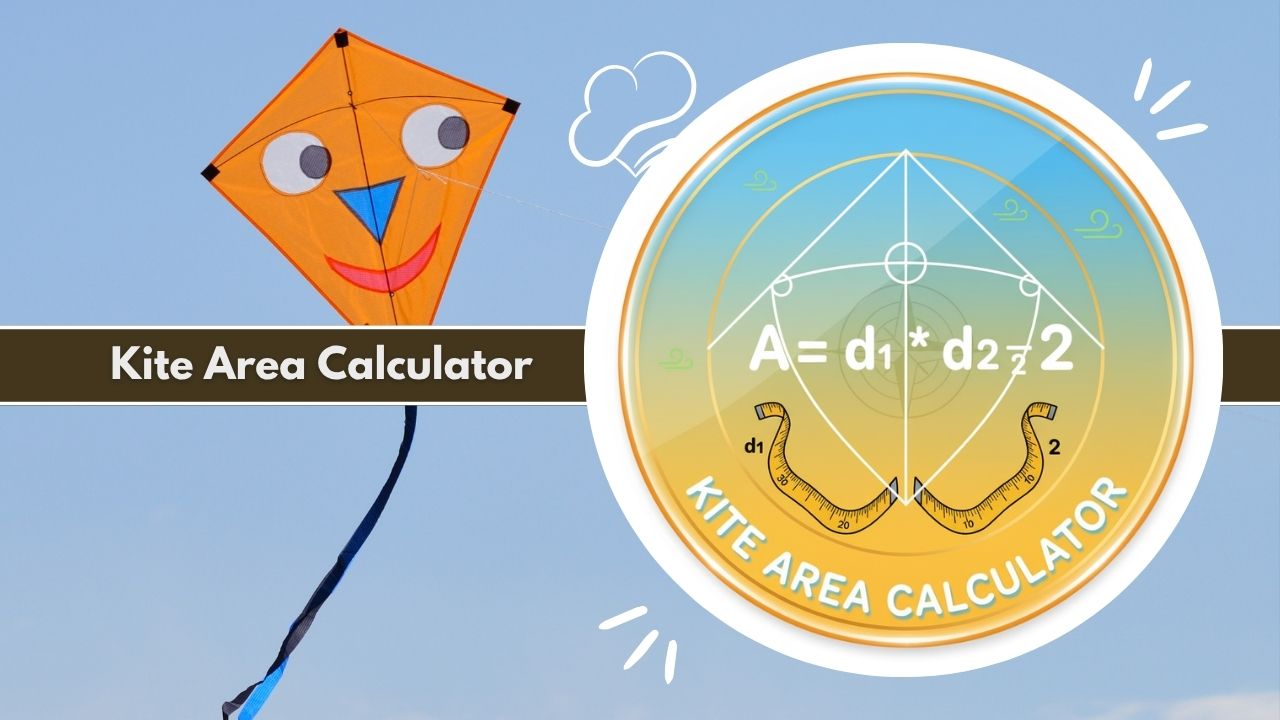
Use our free Kite Area Calculator to solve geometry problems. Calculate area using diagonals d1 and d2 instantly. Perfect for students, designers, and engineers needing precise kite math.
Introduction to the Kite Area Calculator
Geometry is a fundamental part of mathematics that governs the shapes and structures we see in the world around us. Among the various quadrilaterals studied in schools and used in professional design, the kite stands out due to its unique properties and symmetry. However, calculating the surface area of this specific shape can sometimes be confusing without the right formula. This is where the Kite Area Calculator becomes an indispensable tool.
Whether you are a student trying to finish a geometry homework assignment, a carpenter planning a custom tiling project, or a hobbyist building a literal flying kite, knowing the exact area is crucial. The Kite Area Calculator simplifies this process by automating the mathematics. Instead of manually multiplying diagonals and dividing by two, you can simply input your measurements and receive an instant, accurate result.
This article serves as a comprehensive guide to understanding the geometry of kites and mastering the use of the Kite Area Calculator. We will explore the mathematical principles behind the shape, the specific formulas used, real-world applications, and a step-by-step tutorial on how to utilize this digital tool for maximum efficiency. By the end of this guide, you will understand exactly how the Kite Area Calculator transforms complex geometry into simple, actionable data.
Why Accurate Kite Area Measurement Matters
Precision is key in any mathematical or construction endeavor. When dealing with a kite shape, a small error in calculating the area can lead to wasted materials or structural failures. For example, if a textile designer is creating a pattern involving kite-shaped tessellations, a miscalculation of the area by even a fraction of a unit can throw off the entire design grid.
The Kite Area Calculator eliminates human error. Manual calculations are prone to simple arithmetic mistakes, especially when dealing with decimal points or converting between units like inches and centimeters. By using a specialized Kite Area Calculator, users ensure that the output is mathematically rigorous. This level of accuracy is vital for budgeting materials, such as fabric, wood, or tile, where cost is directly related to the surface area coverage.
Users Who Benefit From Kite Area Calculations
The utility of a Kite Area Calculator extends far beyond the math classroom. While it is an excellent checking tool for students learning about quadrilaterals, it is also a professional asset.
- Architects and Interior Designers: These professionals often use geometric shapes to create visually interesting floors and wall patterns. The kite shape is popular in modern aesthetics.
- Engineers: Structural engineers may encounter kite-shaped cross-sections or land plots that require precise area determination.
- Crafters and Hobbyists: Building a flying kite requires precise knowledge of the surface area to calculate the lift-to-weight ratio.
- Land Surveyors: While many plots are rectangular, odd-shaped geometric subdivisions often resolve into triangles or kites.
For all these groups, the Kite Area Calculator provides a centralized, reliable method to obtain necessary geometric data without measuring angles or resorting to complex trigonometry.
What the Kite Area Calculator Is
The Kite Area Calculator is a specialized digital utility designed to compute the area of a kite based on specific geometric inputs. Unlike a generic calculator where you must know the formula and order of operations, this tool is pre-programmed with the logic required to solve kite geometry specifically.
Core Purpose of the Kite Area Calculator Tool
The primary function of the Kite Area Calculator is to take raw linear dimensions—specifically the lengths of the diagonals—and convert them into a two-dimensional area value. It acts as a bridge between physical measurements and spatial understanding.
In the context of this tool, “Area” refers to the total amount of space enclosed within the four sides of the kite. The calculator focuses on the most efficient method of finding this value: the diagonal method. By focusing on this specific geometric relationship, the Kite Area Calculator offers a streamlined user experience that is much faster than general scientific calculators.
How the Calculator Simplifies Kite Geometry
Kite geometry can appear deceptive. A kite is defined as a quadrilateral with two distinct pairs of equal-length sides that are adjacent to each other. Calculating area via side lengths requires knowing the internal angles and using trigonometric sine functions. This is often too complex for quick field estimates.
The Kite Area Calculator simplifies this by utilizing the property of perpendicular diagonals. In every convex kite, the diagonals intersect at a 90-degree angle (a right angle). This geometric fact allows the area to be calculated using a very simple arithmetic operation involving the lengths of the diagonals. The tool abstracts the complexity, requiring the user only to know the length of the vertical span and the horizontal width (the diagonals).
What the Kite Area Calculator Does
The Kite Area Calculator is designed to handle various inputs and provide comprehensive outputs related to the size of the shape. It is not just a multiplication tool; it is a geometry engine.
Types of Kite Shapes It Can Calculate
The Kite Area Calculator is versatile and can handle different variations of the kite shape:
- Convex Kites: This is the standard “kite” shape everyone recognizes, where all interior angles are less than 180 degrees. The diagonals cross inside the shape.
- Concave Kites (Darts): In these shapes, one interior angle is greater than 180 degrees, looking like an arrowhead or dart. Interestingly, the mathematical formula used by the Kite Area Calculator remains valid for darts, provided the lengths of the diagonals (even if one extends outside the shape) are measured correctly.
- Rhombus: A rhombus is a special type of kite where all four sides are equal. The calculator will correctly compute the area of a rhombus if the diagonals are entered, as a rhombus retains the perpendicular diagonal property.
Accuracy and Output Details for Kite Area Results
When you input data into the Kite Area Calculator, the tool processes the numbers using high-precision floating-point math. It instantly generates the Area value. Additionally, advanced versions of the tool often provide visualizations or bar charts comparing the lengths of the input dimensions.
The output is typically displayed to two decimal places, offering a balance between precision and readability. This ensures that if you enter diagonals of 10.5 and 5.2, the Kite Area Calculator returns a precise floating-point result rather than a rounded integer, which is critical for accuracy in construction and scientific contexts.
Key Features of the Kite Area Calculator
A professional Kite Area Calculator is defined by its feature set. It goes beyond a simple text box and offers a robust interface for geometric analysis.
Input Options for Diagonal Lengths
The core feature of the Kite Area Calculator is the input interface for the diagonals. These are usually labeled as:
- Long Diagonal (p or d1): The axis of symmetry in a standard kite.
- Short Diagonal (q or d2): The diagonal that is bisected by the axis of symmetry.
The calculator allows for decimal inputs, meaning you are not restricted to whole numbers. This is essential for real-world measurements where a diagonal might be 12.75 cm rather than just 12 cm.
Advanced Area Calculation Capabilities
Beyond simple multiplication, the Kite Area Calculator often includes logic to handle unit management. Users can compute the area based on inputs in meters, centimeters, feet, or inches. This flexibility means you do not have to manually convert units before using the tool. If your blueprint is in inches, you simply select “Inches” from the unit dropdown, and the Kite Area Calculator treats the values appropriate to that scale.
User-Friendly Interface for Fast Kite Area Results
The design of the Kite Area Calculator focuses on usability. Key interface elements usually include:
- Clear Labels: Distinguishing between d1 and d2.
- Calculate Button: A distinct action button to trigger the computation.
- Result Display: A prominent section where the final Area is shown, often accompanied by the unit (e.g., “Square Meters”).
- Reset Function: The ability to clear inputs quickly to start a new calculation.
This user-centric design ensures that anyone, regardless of their math proficiency, can successfully determine the area of a kite in seconds.
Mathematical Formulas Used in the Kite Area Calculator
To trust the output of the Kite Area Calculator, it is helpful to understand the math happening behind the scenes. The tool relies on standard Euclidean geometry principles.
Main Kite Area Formula: A = ½ × d1 × d2
The primary formula used by the Kite Area Calculator is:
Area = (d1 * d2) / 2
Or written differently:
Area = 0.5 * d1 * d2
In this formula:
- Area is the total surface space inside the boundary.
- d1 represents the length of the first diagonal (often the longer one).
- d2 represents the length of the second diagonal (often the shorter one).
The calculator takes the product of the two diagonals and divides the result by two. This works because the product of the diagonals (d1 * d2) actually calculates the area of a rectangle that would enclose the kite. Since the kite takes up exactly half the space of that enclosing rectangle, we divide by two.
How Diagonal Orientation Influences Area
The orientation of the kite does not affect the area calculation. Whether the kite is rotated 90 degrees or tilted at an angle, the Kite Area Calculator only cares about the internal scalar lengths of the diagonals.
The crucial geometric rule here is that the diagonals of a kite are perpendicular. They meet at a 90-degree angle. If the diagonals were not perpendicular (as in a general quadrilateral), this specific formula would not work. The Kite Area Calculator assumes the shape is a true geometric kite where this perpendicularity holds true.
Parameters Required for Kite Area Calculations
To operate the Kite Area Calculator effectively, you need two specific parameters:
- Diagonal 1 (p): The distance between opposite corners.
- Diagonal 2 (q): The distance between the other pair of opposite corners.
The calculator does not strictly require you to know which one is the “long” or “short” diagonal because multiplication is commutative (Order does not matter: A * B is the same as B * A). However, distinguishing them helps in visualizing the shape.
Geometry Variables That Affect Kite Area Accuracy
While the formula is simple, the accuracy of the Kite Area Calculator depends on the variables provided.
- Linearity: The diagonals must be straight lines connecting vertices.
- Intersection: The calculation assumes the diagonals cross (or their extensions cross) at right angles.
- Unit Consistency: Both diagonals must be measured in the same unit (e.g., both in meters) for the output to be valid. If you mix units, the Kite Area Calculator output will be incorrect unless converted first.
How to Use the Kite Area Calculator Step-by-Step
Using the Kite Area Calculator is a straightforward process. Follow this workflow to ensure you get the most accurate results for your geometry problems.
Required Inputs for Kite Area Measurement
Before opening the tool, gather your data. You will need a physical tape measure or the data points from your math problem. Ensure you have the full length of the vertical diagonal and the full length of the horizontal diagonal. Do not measure the side lengths (the perimeter edges) if you are using the standard diagonal mode of the Kite Area Calculator.
Step-By-Step Workflow for Accurate Results
- Access the Tool: Open the Kite Area Calculator in your web browser.
- Select Input Mode: Ensure you are in the “Diagonals” mode if that is the data you have.
- Enter Diagonal 1: Type the length of the first diagonal into the field labeled “Long Diagonal” or “d1”.
- Enter Diagonal 2: Type the length of the second diagonal into the field labeled “Short Diagonal” or “d2”.
- Select Units: Choose your unit of measurement (e.g., cm, m, in, ft) from the dropdown menu.
- Calculate: Press the “Calculate Area” button.
- Review: Read the result in the results display area.
Tips for Accurate Kite Diagonal Measurements
To get the best out of the Kite Area Calculator, your inputs must be precise.
- Corner to Corner: Ensure you measure exactly from the tip of one vertex to the opposing vertex.
- Straight Line: Do not let the measuring tape sag.
- Perpendicular Check: If you are building a physical kite, ensure the spars cross at 90 degrees. The Kite Area Calculator assumes this geometry; if your construction is skewed, the area calculation will be slightly off.
Kite Area Calculator Example Calculation
Let’s walk through a theoretical example to demonstrate how the Kite Area Calculator processes data.
Sample Diagonal Input Values
Imagine you are building a decorative wall hanging in the shape of a kite.
- You measure the vertical spar (Long Diagonal) to be 80 cm.
- You measure the horizontal spar (Short Diagonal) to be 50 cm.
You want to know how much fabric you need to cover this area.
Step-Based Kite Area Computation Example
- You enter 80 into the “Long Diagonal” field of the Kite Area Calculator.
- You enter 50 into the “Short Diagonal” field.
- The calculator performs the math internally:
- Step A: 80 * 50 = 4000.
- Step B: 4000 / 2 = 2000.
Understanding the Final Kite Area Output
The Kite Area Calculator will display the result: 2000. Because you selected “centimeters” as your unit, the area is 2000 square centimeters (cm²).
If you had selected “Meters” for your inputs (0.8 m and 0.5 m), the calculator would process:
- 0.8 * 0.5 = 0.4
- 0.4 / 2 = 0.2 Result: 0.2 square meters.
This demonstrates how the Kite Area Calculator reliably scales the math regardless of the magnitude of the numbers.
Practical Applications of the Kite Area Calculator
The Kite Area Calculator is not just a theoretical tool; it has practical applications across various industries and hobbies.
Use in Math and Geometry Education
Teachers and students are the most frequent users of the Kite Area Calculator.
- Homework Verification: Students can solve the problem manually and use the calculator to check their answers.
- Visual Learning: By changing the inputs and seeing how the area changes, students gain an intuitive sense of how dimensions affect total space.
- Lesson Planning: Teachers can quickly generate answer keys for exams using the tool.
Real-World Design, Crafting, and Pattern Layouts
In the world of arts and crafts, the Kite Area Calculator is vital.
- Quilting: Many quilt patterns use kite shapes (often called “kites and darts”). Quilters use the calculator to determine total fabric requirements for a bedspread.
- Stained Glass: Artists cutting glass need to know the exact surface area to estimate the cost of expensive glass sheets.
- Kite Making: For aerodynamics, the ratio of area to weight (wing loading) is critical. A Kite Area Calculator gives the builder the exact area data needed to calculate lift.
Engineering and Structural Design Uses
Civil and mechanical engineers occasionally utilize kite geometry.
- Roofing Accents: While most roofs are rectangular, turrets or decorative intersections often form kite shapes. The Kite Area Calculator helps in estimating shingle requirements for these specific sections.
- Fluid Dynamics: Engineers designing hydrofoils or control surfaces sometimes use kite-like cross-sections. Calculating the planform area is the first step in lift coefficient analysis.
Graphic Design and Technical Drafting
Graphic designers creating logos or vector illustrations often use geometric primitives. When checking the visual weight of a logo design, knowing the area of the components is helpful. A Kite Area Calculator allows designers to maintain proportion and balance within a layout by ensuring that kite-shaped elements have the correct visual mass relative to other shapes.
Advantages of Using a Kite Area Calculator
Why should you use a digital Kite Area Calculator instead of a pen and paper? The benefits are significant.
Time Savings for Geometry Calculations
The most obvious benefit is speed. Performing the multiplication and division manually takes time, especially with complex decimal numbers (e.g., 45.67 * 23.91 / 2). The Kite Area Calculator performs this operation in milliseconds. For professionals who have to calculate the area for dozens of shapes in a day, this time saving accumulates significantly.
Reduction of Manual Formula Errors
It is easy to forget to “divide by two” when rushing through a calculation. This is a common mistake in kite geometry—users often just multiply the diagonals and forget the 1/2 factor. The Kite Area Calculator has the formula hard-coded, meaning it never forgets this step. It guarantees that the fundamental logic of the calculation is always correct.
Professional-Level Accuracy for Kite Area Results
When dealing with large projects, rounding errors can be costly. If you round your diagonals too early in a manual calculation, the final area will be skewed. The Kite Area Calculator maintains high precision throughout the calculation process, providing a result that is accurate enough for professional construction and engineering standards.
Common Mistakes When Using a Kite Area Calculator
Even with a perfect tool, user error can lead to incorrect results. Here are common pitfalls to avoid when using the Kite Area Calculator.
Incorrect Diagonal Measurements
The calculator is only as good as the data entered. If you measure the diagonal from the wrong points (e.g., stopping short of the corner), the result will be wrong. Always measure the longest possible span from vertex tip to vertex tip.
Confusing Side Lengths With Diagonal Lengths
This is the most frequent error. Users sometimes measure the outside edges (the perimeter sides) of the kite and enter them into the diagonal fields.
- Diagonals cross through the center of the shape.
- Sides form the border of the shape. If you enter side lengths into the Kite Area Calculator while in “Diagonals” mode, the result will be completely meaningless. Ensure you are identifying the parts of the shape correctly.
Unit Conversion Mistakes in Kite Geometry
A common mistake is measuring one diagonal in feet and the other in inches, then entering them both as if they were the same unit.
- Example: d1 = 2 feet, d2 = 6 inches.
- Wrong Entry: Entering 2 and 6.
- Correct Entry: Convert 2 feet to 24 inches. Enter 24 and 6. The Kite Area Calculator usually expects consistent units for both inputs to generate a coherent area output.
Limitations of a Kite Area Calculator
While powerful, the Kite Area Calculator operates under specific geometric assumptions.
Assumes Diagonals Intersect at Right Angles
The standard formula $A = 0.5 * d1 * d2$ relies on the diagonals being perpendicular. This is true for all mathematical kites. However, if you have a generic irregular quadrilateral where the diagonals do not meet at 90 degrees, you cannot use the Kite Area Calculator. You would need a Bretschneider’s formula calculator or a general quadrilateral area tool.
Limited Use for Highly Irregular Kite Shapes
If a shape is distorted or “skewed” such that sides adjacent to each other are not equal, it is not a kite. It is a general trapezium or irregular quadrilateral. The Kite Area Calculator is specific to the kite definition (two pairs of equal adjacent sides). Using it for shapes that “look like” kites but don’t meet the geometric definition will yield incorrect area data.
Accuracy Factors for Kite Area Calculations
Several factors influence how precise your final calculation will be.
Precision of Diagonal Measurement Methods
The output is directly dependent on the resolution of your input. If you measure your diagonals to the nearest meter, your area will be a rough estimate. If you measure to the nearest millimeter, the Kite Area Calculator will provide a much more precise figure. For high-stakes projects, use laser distance measurers rather than standard tape measures to feed data into the calculator.
Influence of Kite Symmetry on Area Output
A standard kite has one axis of symmetry (the main diagonal). This symmetry ensures that the calculation represents the true physical area. If the physical object you are measuring is warped or lacks this symmetry due to manufacturing defects, the Kite Area Calculator result represents the theoretical area of a perfect kite, which may differ slightly from the actual physical material area.
Differences in Computational Approaches
Some calculators use the side lengths and the angle between them (Area = a * b * sin C). While the Kite Area Calculator focused on diagonals uses the $0.5 * d1 * d2$ method, both should yield the same result for a perfect kite. However, the diagonal method is generally preferred because measuring straight lines (diagonals) is easier and less prone to error than measuring angles in the field.
Industry Standards Related to Kite Area Measurement
Geometry Standards Used in Education
In educational curricula (Common Core, GCSE, etc.), the kite is a standard polygon taught in middle school geometry. The Kite Area Calculator adheres to these educational standards, using the universally accepted definitions and formulas found in textbooks. This makes it a safe and compliant tool for academic use.
Design and Drafting Measurement Guidelines
In architectural drafting (CAD), area calculation follows strict rules. The Kite Area Calculator mimics the logic used in software like AutoCAD. By calculating area based on coordinate geometry or diagonal bisection, the tool aligns with professional drafting standards, ensuring that the numbers you get online match what a CAD program would produce.
Troubleshooting Issues in Kite Area Calculations
If the Kite Area Calculator is giving you strange results, check these issues.
Causes of Unexpected Area Results
If the area seems far too small or too large, check your decimal placement. Entering “500” meters instead of “5.00” meters will result in an area that is 10,000 times too big. Always double-check the magnitude of your inputs.
Missing or Incorrect Diagonal Inputs
The Kite Area Calculator requires two non-zero inputs.
- If you enter “0” for one diagonal, the area will be 0.
- If you leave a field blank, the tool cannot compute. Ensure both d1 and d2 are positive numbers.
Unit Mismatch and Conversion Issues
If your calculated area doesn’t match your intuition, check the units. A result of “100” could be small if it is square millimeters, or huge if it is square meters. Always verify the unit label next to the result on the Kite Area Calculator.
Frequently Asked Questions About the Kite Area Calculator
What is the formula for the area of a kite?
The formula used by the Kite Area Calculator is Area = (Diagonal 1 * Diagonal 2) / 2. This calculates half the product of the diagonals.
Can the Kite Area Calculator handle different units?
Yes, most calculators allow you to assume inputs in meters, centimeters, feet, or inches, provided you keep both inputs in the same unit. The result will be in square units of whatever you input.
Does the Kite Area Calculator work for a rhombus?
Yes. A rhombus is a specific type of kite. Since its diagonals are perpendicular, the Kite Area Calculator will correctly compute the area of a rhombus.
Do I need to measure the sides of the kite?
No. In standard mode, the Kite Area Calculator only requires the lengths of the two diagonals (vertical and horizontal). Side lengths are not needed.
What if my kite is a dart shape (concave)?
The formula remains valid. Even for a concave kite (dart), the area is still half the product of the diagonals. The Kite Area Calculator works for darts.
How do I measure the diagonals of a kite?
Measure the distance from the top corner to the bottom corner (d1), and from the left corner to the right corner (d2).
Why is the area divided by 2?
Geometrically, if you draw a rectangle around the kite based on the diagonal lengths, the kite occupies exactly half of that rectangle’s area.
Can I use this calculator for a square?
Yes, a square is also technically a kite (and a rhombus). If you know the diagonal lengths of the square, the Kite Area Calculator will work perfectly.
Can I calculate perimeter with this tool?
This specific tool focuses on Area using diagonals. To calculate perimeter, you would typically need the side lengths, not the diagonals.
Does the order of diagonals matter?
No. You can enter the short diagonal as d1 and the long diagonal as d2, or vice versa. The multiplication result in the Kite Area Calculator will be the same.
What is the definition of a kite in geometry?
A kite is a quadrilateral with two pairs of equal-length sides that are adjacent to each other.
Is this tool suitable for construction projects?
Yes, the math is robust. However, always double-check physical measurements in the field before cutting expensive materials based on the Kite Area Calculator result.
Related Tools & Calculators:
- Fence Area Calculator
- Hip Roof Area Calculator
- T Beam Second Moment of Area Calculator
- I Beam Second Moment of Area Calculator
- Second Moment Of Area Calculator Custom Shape
- Second Moment Of Area Calculator
- First Moment Of Area Calculator
- Force Pressure X Area Calculator
- Thermal Expansion Area Calculator
- Decking Area Calculator
- Spherical Cap Area Calculator
- Hemisphere Area Calculator