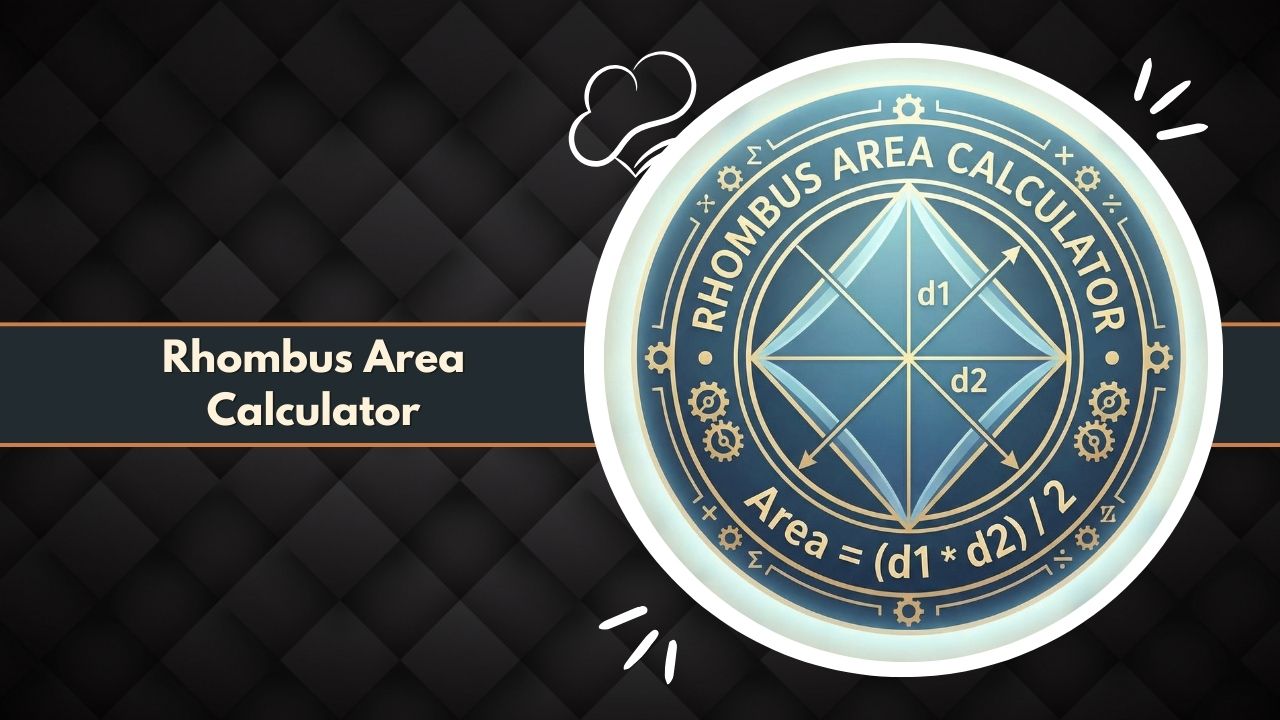
Use our Rhombus Area Calculator to instantly find the area, perimeter, and diagonals of any rhombus. Perfect for math students, architects, and surveyors needing precise geometric results.
Calculate Area, Perimeter, Side, and Angles with precision.
Geometric Breakdown
Introduction to the Rhombus Area Calculator
Geometry is the foundation of design, construction, and spatial analysis, and among the various quadrilaterals studied, the rhombus holds a unique position. A rhombus is often described as a “slanted square” because it possesses four sides of equal length, yet its corners are not necessarily 90 degrees. Calculating the space inside this shape requires specific formulas that differ from standard rectangles. This is where a Rhombus Area Calculator becomes an indispensable tool.
Whether you are a student solving complex geometry proofs, an architect designing a diamond-patterned floor, or a land surveyor measuring a plot, determining the exact area is critical. A Rhombus Area Calculator eliminates the manual complexity of these calculations.
By automating the mathematical processes involved—whether using diagonals, base and height, or trigonometry—the calculator ensures precision and speed. This article explores the mechanics, applications, and benefits of using a Rhombus Area Calculator for all your equal-side quadrilateral needs.
Why Rhombus Area Measurement Matters in Mathematics
In the realm of mathematics, area represents the quantitative size of a two-dimensional surface. For a rhombus, this measurement is particularly interesting because it bridges the gap between the properties of a square and a parallelogram. Understanding how to use a Rhombus Area Calculator allows mathematicians and students to verify the relationships between diagonals and sides.
Accuracy in these measurements is vital. In coordinate geometry, a slight error in calculating the area of a rhombus can lead to significant discrepancies in subsequent calculations, such as volume or surface area of 3D prisms based on the rhombus.
The Rhombus Area Calculator serves as a standard for verification, ensuring that the input variables (like diagonal length or altitude) yield a mathematically sound result. It reinforces the concept that area is not just a number, but a function of geometric properties interacting in specific ways.
How Rhombus Geometry Differs from Squares and Other Quadrilaterals
To effectively use a Rhombus Area Calculator, one must understand what defines the shape. While a square is a rhombus with right angles, a generic rhombus does not require 90-degree corners. This distinction changes how area is calculated.
- Squares: Area is simply side multiplied by side.
- Rectangles: Area is length multiplied by width.
- Rhombus: Since there are no right angles at the corners, multiplying “side times side” will not give the correct area. Instead, the area is related to how “squashed” the shape is.
The Rhombus Area Calculator accounts for this geometric variance. It recognizes that as the rhombus tilts further, the area decreases even if the side lengths remain constant. By focusing on variables like the internal diagonals (which bisect each other at 90 degrees) or the perpendicular height, the Rhombus Area Calculator distinguishes itself from tools designed for standard rectangles or trapezoids.
What the Rhombus Area Calculator Is
A Rhombus Area Calculator is a specialized digital utility designed to compute the surface area of a rhombus based on user-provided geometric inputs. It functions as a dedicated processor for specific geometric formulas, instantly converting linear measurements (centimeters, inches, meters) into squared area units.
Core Purpose of the Calculator for Geometry and Real-World Use
The primary function of the Rhombus Area Calculator is to bridge the gap between raw data and actionable geometric insight. In a classroom setting, a student might measure the diagonals of a shape drawn on graph paper. The calculator transforms those raw lengths into a confirmed area value, allowing the student to check their manual work.
In real-world scenarios, such as construction or material estimation, the core purpose shifts to efficiency and cost saving. If a flooring contractor is tiling a room with rhombus-shaped tiles, they need the exact area of a single tile to determine how many are required for the total floor space. The Rhombus Area Calculator provides this single-unit area instantly, preventing over-ordering or material shortages.
How the Calculator Simplifies Diagonal and Height-Based Area
Calculating the area of a rhombus manually can be tedious, especially when dealing with decimals or fractions.
- Diagonal Method: Requires multiplying two large numbers and dividing by two.
- Base/Height Method: Requires ensuring the height is truly perpendicular, not just the side length.
- Trigonometry: Requires sine tables or scientific calculators to use angles.
The Rhombus Area Calculator simplifies this by acting as a central hub for all these methods. The user does not need to remember if they should divide by two or multiply by sine alpha. The Rhombus Area Calculator handles the internal logic. You simply select your known values—for instance, diagonal p and diagonal q—and the tool applies the correct algorithm (p * q) / 2 automatically.
What the Rhombus Area Calculator Does
At its heart, the Rhombus Area Calculator is a logic engine. It takes numerical inputs that define the physical dimensions of the shape and processes them through valid geometric theorems to output the area.
Calculates Area Using Diagonals, Base, Height, and Coordinates
The versatility of a Rhombus Area Calculator lies in its ability to handle various input types. Depending on what data is available from measurement or blueprints, the calculator functions differently:
- Diagonal Inputs: If you know the lengths of the long and short diagonals (the lines crossing through the center), the calculator uses the diagonal formula.
- Base and Height Inputs: If you view the rhombus as a slanted parallelogram, the calculator takes the side length (base) and the vertical distance between opposite sides (height).
- Side and Angle Inputs: Advanced versions of the Rhombus Area Calculator can use trigonometry, taking the length of a side and the interior corner angle to compute area.
Provides Fast and Accurate Area Outputs for Any Rhombus Shape
Speed is a major attribute of the Rhombus Area Calculator. Manual calculation involves writing down the formula, substituting values, performing arithmetic, and double-checking. The calculator performs these steps in milliseconds. Furthermore, it provides accuracy that manual calculation often lacks, specifically regarding significant figures and decimal places. Whether the rhombus is extremely thin (like a diamond on a playing card) or nearly square, the Rhombus Area Calculator provides a consistent, mathematically rigorous output.
Key Features of the Rhombus Area Calculator
Modern digital calculators are packed with features designed to enhance usability and precision. The Rhombus Area Calculator is no exception, offering specific functionalities tailored to equal-side quadrilaterals.
Input Options for Side Length, Diagonals, and Height
A robust Rhombus Area Calculator does not force the user into a single method of operation. It offers distinct input fields:
- Field A: Diagonal 1 (p)
- Field B: Diagonal 2 (q)
- Field C: Base (b) or Side (a)
- Field D: Altitude/Height (h)
This flexibility is crucial because different industries measure shapes differently. A glazier cutting glass might measure diagonals, while a carpenter might measure the side and vertical height. The Rhombus Area Calculator accommodates all these workflows.
Calculation Modes for Multiple Rhombus Formulas
The Rhombus Area Calculator typically features a dropdown or toggle system allowing the user to switch modes.
- Mode 1: Diagonal Calculation.
- Mode 2: Altitude Calculation.
- Mode 3: Trigonometric Calculation (Side + Angle).
This feature ensures that the calculator is applying the correct mathematical logic to the inputs provided. It prevents the error of entering a diagonal length into a height field, which would result in a drastically incorrect area.
User-Friendly Interface for Students and Professionals
Accessibility is a key feature. The Rhombus Area Calculator is designed with clear labels, instructional tooltips, and immediate feedback. For students, this clarity helps reinforce learning; they can see exactly which variables contribute to the result. For professionals, the clean interface of the Rhombus Area Calculator means less time fiddling with settings and more time applying the data to their project. Features often include a “Clear” button to reset the form and a “Copy” button to export the result.
Mathematical Formulas Used in the Rhombus Area Calculator
The Rhombus Area Calculator is powered by established geometric theorems. While the user sees a simple interface, the backend is processing specific algebraic equations.
Diagonal Formula: Area = (d₁ × d₂) / 2
The most common method used by a Rhombus Area Calculator relies on the diagonals.
The formula is: Area = (Diagonal_1 * Diagonal_2) / 2
Or, using standard notation: A = (p * q) / 2
- Why this works: The diagonals of a rhombus bisect each other at right angles. This divides the rhombus into four identical right-angled triangles. By calculating the area of the rectangle formed by the diagonals (
p * q) and dividing by 2, the Rhombus Area Calculator finds the exact area contained within the four sides.
Base × Height Formula for Rhombus Area
Since a rhombus is a special type of parallelogram, the Rhombus Area Calculator also utilizes the base-height formula. The formula is: Area = Base * Height
Or: A = b * h
- Important Note: In a rhombus, the “base” is simply the length of any side, as all sides are equal. The “height” is the perpendicular distance between two opposite sides, not the length of the slanted side. The Rhombus Area Calculator treats these inputs as a standard multiplication to derive the area.
Coordinate Geometry Formula for Rhombus Using Vertices
For advanced applications, a Rhombus Area Calculator might use the coordinates of the vertices (x1, y1), (x2, y2), etc. It uses a variation of the Shoelace Formula: Area = 0.5 * |(x1y2 + x2y3 + x3y4 + x4y1) - (y1x2 + y2x3 + y3x4 + y4x1)|
This is particularly useful in land surveying and CAD software where the rhombus is defined by points on a grid rather than linear measurements.
Variables and Geometric Conditions Required for Accuracy
For the Rhombus Area Calculator to function correctly, the geometric conditions must be met:
- The shape must be a closed four-sided figure.
- All four sides must be equal in length.
- Opposite sides must be parallel.
If these conditions are not met, the shape is not a rhombus, and the Rhombus Area Calculator will output a result that does not apply to the actual shape (e.g., a kite or a trapezoid).
How to Use the Rhombus Area Calculator Step-by-Step
Using the Rhombus Area Calculator is a straightforward process, provided you have gathered the necessary data beforehand.
Required Inputs for Each Calculation Method
Before interacting with the Rhombus Area Calculator, identify which variables you possess:
- Method A: You need the lengths of the long diagonal and the short diagonal.
- Method B: You need the length of one side and the perpendicular height (altitude).
- Method C: You need the length of one side and the measure of one interior angle (in degrees or radians).
Step-by-Step Input Process for Correct Rhombus Results
- Select the Method: Choose the calculation mode on the Rhombus Area Calculator that matches your data (e.g., “Diagonals”).
- Enter Value 1: Input the first variable (e.g., Diagonal p length). Ensure you are using the correct unit.
- Enter Value 2: Input the second variable (e.g., Diagonal q length).
- Verify Units: Ensure both measurements are in the same unit (e.g., both in meters). If one is in cm and the other in meters, convert them first.
- Calculate: Press the “Calculate” button on the Rhombus Area Calculator.
- Read Output: The result will be displayed in squared units (e.g., square meters).
Tips for Measuring Diagonals and Height Accurately
To get the most out of the Rhombus Area Calculator, input accuracy is key.
- Measuring Diagonals: Measure from corner to opposite corner. Ensure the tape measure passes exactly through the center of the shape.
- Measuring Height: Do not measure along the edge of the rhombus. You must measure the vertical drop from the top line to the bottom line at a 90-degree angle.
- Measuring Sides: Since all sides are equal, you only need to measure one.
Rhombus Area Calculator Example Calculation
Let’s look at concrete examples of how the Rhombus Area Calculator processes data.
Sample Diagonal Input Values and Results
Scenario: You have a diamond-shaped window. The vertical height (diagonal 1) is 120 cm, and the horizontal width (diagonal 2) is 80 cm.
- Input: Diagonal 1 = 120, Diagonal 2 = 80.
- Formula Processed by Rhombus Area Calculator:
(120 * 80) / 2. - Intermediate Step:
120 * 80 = 9600. - Final Step:
9600 / 2 = 4800. - Result: The Rhombus Area Calculator displays 4800 cm².
Sample Base and Height Calculation Demonstration
Scenario: A paved section of a driveway is a rhombus. The side length is 4 meters. The perpendicular distance between the sides is 3.5 meters.
- Input: Base = 4, Height = 3.5.
- Formula Processed by Rhombus Area Calculator:
4 * 3.5. - Result: The Rhombus Area Calculator displays 14 m².
How to Interpret the Final Area Output
The output provided by the Rhombus Area Calculator is always a two-dimensional measurement. It represents the amount of surface covering the shape.
- If you input centimeters, the output is square centimeters (cm²).
- If you input feet, the output is square feet (ft²).
Understanding this output is vital for material estimation. If the Rhombus Area Calculator says 14 m², you need enough paving stones to cover exactly 14 square meters of ground.
Practical Applications of the Rhombus Area Calculator
The utility of the Rhombus Area Calculator extends far beyond math homework. It is a critical tool in various professional trades.
Construction and Architecture Layouts
Architects frequently use rhomboid patterns in flooring, lattice work, and window designs. When calculating the total surface area of a floor covered in diamond tiles, the architect calculates the area of one tile using the Rhombus Area Calculator and multiplies it by the total tile count. This ensures accurate coverage estimates for ordering ceramic, wood, or vinyl flooring. Furthermore, in roof framing, rhombic shapes appear in truss sections, where area calculations help determine wind load and material weight.
Land Surveying and Plot Measurement
Land plots are rarely perfect squares. Due to road angles and natural boundaries, property lines often form rhombuses or generic parallelograms. A surveyor uses a Rhombus Area Calculator to determine the exact acreage of a plot. By measuring the boundary lengths and the internal angles or diagonals using theodolites and GPS, the surveyor can input the data into the calculator to generate a legally accurate area for property deeds and taxation.
Mathematics Learning and Academic Problem Solving
For students learning Euclidean geometry, the Rhombus Area Calculator acts as a verification tool. After manually deriving the area using proofs and formulas, students can input their variables into the calculator to check their answers. This builds confidence and helps identify errors in arithmetic or formula application. It also helps students visualize the relationship between diagonals and area—seeing that doubling a diagonal doubles the area.
Engineering and Technical Diagram Work
In mechanical engineering, the “rhombus linkage” is a common mechanism used in scissor lifts and pantographs. Calculating the area inside the linkage at different stages of extension helps engineers determine the stability and spatial requirements of the machine. The Rhombus Area Calculator allows engineers to quickly simulate different configurations (different diagonal lengths corresponding to different extension states) to ensure the mechanism fits within the design housing.
Advantages of Using a Rhombus Area Calculator
Why rely on a tool rather than manual calculation? The Rhombus Area Calculator offers distinct advantages in efficiency and reliability.
Eliminates Manual Formula Errors
Human error is the most common cause of calculation mistakes. It is easy to forget to divide by 2 in the diagonal formula or to mistake the side length for the height. The Rhombus Area Calculator has the formula hard-coded. It never forgets a step. As long as the inputs are correct, the math performed by the calculator is flawless.
Saves Time on Complex Rhombus Measurements
In a project involving hundreds of rhombuses—such as analyzing the stress on a chain-link fence or designing a large tessellated graphic—calculating each area manually is prohibitive. The Rhombus Area Calculator produces instant results. When paired with batch processing or used repeatedly, it saves hours of computational time.
Provides Consistent, Professional-Level Accuracy
Professional reports require high precision. Rounding errors in manual calculation can compound over time. The Rhombus Area Calculator typically computes with high floating-point precision, ensuring that the result remains accurate to many decimal places. This consistency is required for engineering blueprints and financial estimates based on area (like carpeting costs).
Common Mistakes When Using a Rhombus Area Calculator
Even with a perfect tool, user error can lead to incorrect results. Here are common pitfalls to avoid when using the Rhombus Area Calculator.
Incorrect Diagonal Measurements
A common mistake is measuring only half of the diagonal (from the corner to the center) and entering that as the full diagonal length. The formula in the Rhombus Area Calculator requires the entire length from corner to corner. If you only enter half the length, the resulting area will be significantly smaller than reality (specifically, 1/4th of the actual area).
Confusing Rhombus With Other Four-Sided Shapes
Not all diamonds are rhombuses. A “kite” has perpendicular diagonals, but its sides are not all equal (two pairs of equal adjacent sides). If you use a Rhombus Area Calculator for a kite, the diagonal formula (d1 * d2) / 2 actually still works, but the side-based formulas will fail. If you confuse a rhombus with a general trapezoid, the results will be entirely wrong. Ensure your shape has four equal sides before using the tool.
Forgetting to Convert Between Metric and Imperial Units
The Rhombus Area Calculator is unit-agnostic for the calculation itself (it just multiplies numbers). However, if you enter Diagonal 1 in feet and Diagonal 2 in inches, the result will be mathematically meaningless “foot-inches.” You must convert all inputs to the same unit (e.g., all inches) before typing them into the calculator to get a valid output (square inches).
Limitations of a Rhombus Area Calculator
While powerful, the Rhombus Area Calculator operates within specific constraints.
Assumes Perfect Rhombus Geometry in Measurements
The calculator assumes the inputs describe a perfect geometric rhombus. In the real world, a tile might be chipped, or a land plot might have slightly curved edges. The Rhombus Area Calculator calculates the area of the theoretical ideal shape defined by the inputs. It cannot account for physical irregularities or deviations unless those are factored into the input measurements.
Does Not Adjust for Human Measurement Error
The tool cannot know if your tape measure slipped. If you input 10 meters when the actual length is 10.5 meters, the Rhombus Area Calculator will give you the correct area for 10 meters, which is the wrong area for your project. It is a processing tool, not a verification tool for physical measurement accuracy.
Accuracy Factors for Rhombus Area Calculations
To get the best results from a Rhombus Area Calculator, consider these accuracy factors.
Precision of Diagonal or Height Measurements
The output is only as good as the input. For high-stakes projects, use laser measures or calipers to determine diagonals and sides. Entering values to three decimal places into the Rhombus Area Calculator will yield a result precise enough for fine machining or joinery.
Angle Accuracy and Rhombus Shape Variations
If using the Side + Angle method, the angle measurement is critical. A difference of one degree significantly affects the sine value and thus the area. When using a Rhombus Area Calculator with trigonometric inputs, ensure your protractor or angle finder is calibrated.
Using the Correct Formula for the Correct Situation
Do not force a formula that doesn’t fit. If you can easily measure diagonals, use the diagonal method on the Rhombus Area Calculator. If the diagonals are obstructed but the side and height are accessible, use the base-height method. Choosing the method with the easiest-to-obtain measurements usually reduces input error.
Industry Standards Related to Rhombus Area Measurement
Different fields have standards for how area should be calculated and reported using tools like the Rhombus Area Calculator.
Construction Measurement Standards for Angled Plots
In construction, standards often dictate that area calculations for materials include a “waste factor.” When using the Rhombus Area Calculator to buy flooring, contractors typically add 10-15% to the calculator’s output to account for cutting waste at the acute and obtuse corners of the rhombus tiles.
Surveying and Math-Based Calculation Guidelines
Surveying standards require area to be reported to specific tolerances (e.g., nearest square foot or decimal acre). When using a Rhombus Area Calculator, surveyors must adhere to significant figure rules, ensuring the output precision matches the input precision of their survey equipment.
Troubleshooting Issues in Rhombus Area Calculations
If the Rhombus Area Calculator gives an unexpected result, check these common issues.
Fixing Incorrect or Impossible Area Outputs
If the calculator returns a negative number or zero, check your inputs. Distances cannot be negative. Also, ensure you haven’t entered an angle of 0 or 180 degrees, which would flatten the rhombus into a line with zero area.
Identifying Missing Inputs in the Calculator
If the Rhombus Area Calculator won’t calculate, ensure all required fields for the chosen mode are filled. You cannot calculate area with just one diagonal; you need both, or a side and an angle.
Solving Unit Conversion and Measurement Mistakes
If the result seems astronomically large or small, check decimal placement. Entering 100 meters instead of 10.0 meters will result in an area 100 times larger. Always double-check the decimal point position before trusting the Rhombus Area Calculator output.
Frequently Asked Questions About the Rhombus Area Calculator
Can the Rhombus Area Calculator calculate perimeter too?
Yes, if you input the side length, the calculator can easily compute perimeter (Side * 4). If you only input diagonals, the calculator can derive the side length using the Pythagorean theorem and then calculate perimeter.
Is a square a rhombus?
Yes. A square is a rhombus with 90-degree angles. You can use the Rhombus Area Calculator for a square; the diagonals will be equal, and the base/height will be equal.
What is the most accurate formula to use?
All formulas are mathematically exact. The accuracy depends on which measurement you can get most precisely. Usually, measuring diagonals is easier and more accurate for a physical rhombus than measuring perpendicular height.
Can I use this calculator for a Kite?
You can use the Diagonal formula (d1 * d2) / 2 for a kite, as strictly speaking, the area formula for a kite and a rhombus based on diagonals is the same. However, side-based formulas will not work.
Do I need to convert units before using the calculator?
Yes. Ensure all inputs are in the same unit (e.g., all cm or all inches). The result will be in that unit squared.
How do I find the area if I only have one side and one diagonal?
This requires multiple steps using Pythagoras to find the second diagonal. A standard Rhombus Area Calculator might not do this directly unless it has a specialized “Side + 1 Diagonal” mode.
Why is the area of a rhombus half the product of diagonals?
Because the diagonals form a rectangle around the rhombus that is exactly twice the size of the rhombus. The Rhombus Area Calculator applies this geometric proof automatically.
Can I calculate the area of a rhombus on coordinate paper?
Yes, simply calculate the lengths of the diagonals based on the grid units and enter them into the Rhombus Area Calculator.
Does the calculator work for oblique rhombuses?
All rhombuses (except squares) are oblique. The calculator is specifically designed for these slanted shapes.
What if my diagonals are equal?
If diagonals are equal, your rhombus is a square. The Rhombus Area Calculator will still give the correct area, which will be equivalent to side squared.
Is the altitude the same as the side length?
No. In a tilted rhombus, the altitude (height) is always smaller than the side length. If you enter a height larger than the side, the Rhombus Area Calculator might give an error or impossible result.
Can I calculate volume with this tool?
No. This is a 2D Rhombus Area Calculator. To find the volume of a rhombic prism, you would take the area result from this tool and multiply it by the prism’s length.
Related Tools & Calculators:
- OSU Area Calculator
- Net Signed Area Calculator
- Standard Normal Distribution Area Calculator
- Nonagon Area Calculator
- Lot Area Calculator GPS
- Area of A Jar Calculator
- Half Circle Area Calculator
- Equilateral Triangle Area Calculator
- Area Enclosed Calculator
- Decagon Area Calculator
- Surface Area Calculator Cube
- Annulus Area Calculator
- Sod Solutions Area Calculator