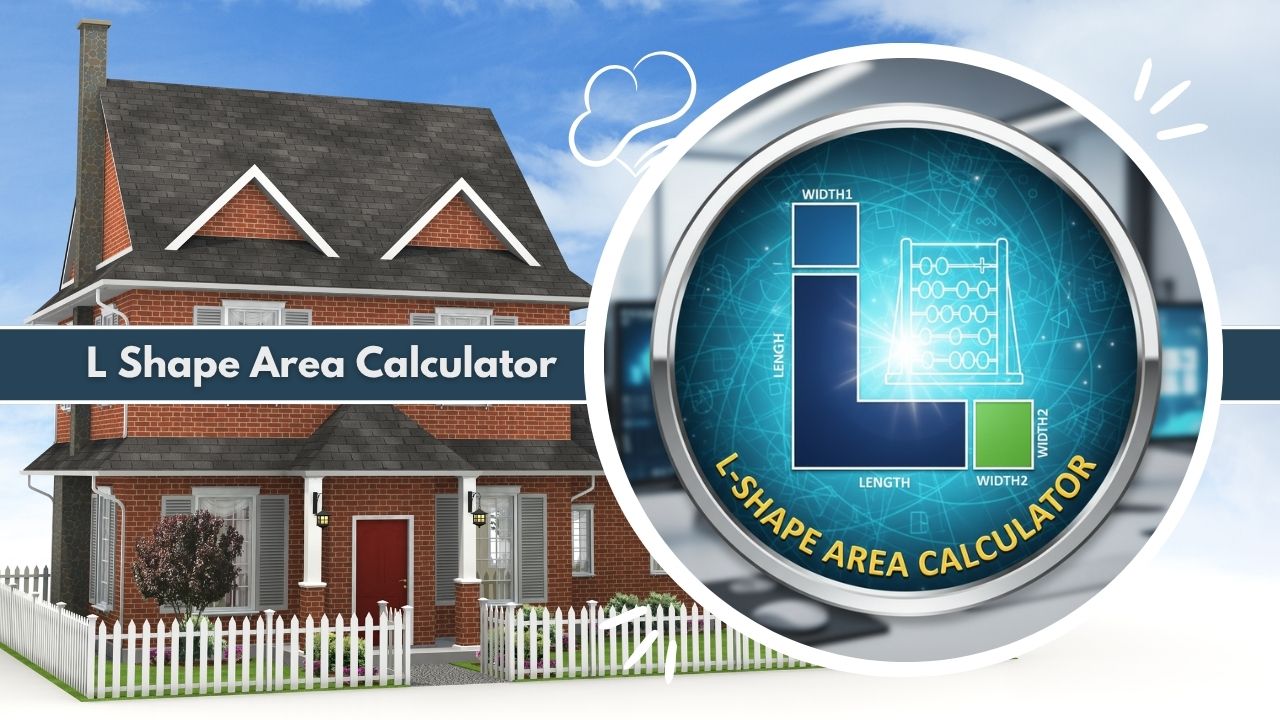
Master irregular layouts with our L Shape Area Calculator. Perfect for floor plans, real estate, and construction. Get precise area and perimeter results for L-shaped rooms instantly.
Breakdown based on decomposing the L-shape into two rectangles.
Introduction to the L Shape Area Calculator
In the complex world of construction, interior design, and real estate management, encountering perfectly square or rectangular rooms is becoming increasingly rare. Modern architecture favors unique layouts, alcoves, and open-concept designs that frequently result in irregular geometries. Among these, the L-shaped floor plan is one of the most common configurations found in residential and commercial properties.
Whether it is a kitchen wrapping around a pantry, a hallway turning a corner, or a garden plot extending behind a garage, determining the precise square footage of these spaces requires more than a simple length-times-width calculation. This is where the L Shape Area Calculator becomes an essential utility for professionals and homeowners alike.
The L Shape Area Calculator is a specialized digital tool designed to compute the area, perimeter, and geometric properties of six-sided polygons that form a 90-degree angle. Unlike standard calculators that force users to manually break down shapes and track multiple figures on a piece of paper, the L Shape Area Calculator automates the entire process.
It accepts specific dimensions regarding the outer lengths and inner thicknesses of the shape and instantly returns critical data. By eliminating the need for manual geometric decomposition, the L Shape Area Calculator reduces human error and speeds up workflow significantly.
Why Accurate L-Shaped Area Measurement Matters
Accuracy in measurement is the cornerstone of successful project planning. When dealing with L-shaped spaces, a minor miscalculation can lead to significant financial loss or structural issues. Using an L Shape Area Calculator ensures that the derived metrics are mathematically sound.
For a flooring contractor, overestimating the area of an L-shaped living room means ordering excess hardwood or carpet that cannot be returned, eating into profit margins. Underestimating, conversely, leads to material shortages, halted work, and the nightmare of trying to match dye lots from different batches of materials.
Beyond simple material costs, accurate L-shaped measurement is vital for heating, ventilation, and air conditioning (HVAC) planning. An L Shape Area Calculator helps engineers determine the exact volume of a room, which dictates the size of the furnace or air conditioning unit required to maintain a comfortable temperature. If the area is calculated incorrectly because the L-shape was not properly accounted for, the installed system may be inefficient, leading to hot spots or cold zones within the building.
Who Uses L-Shaped Area Calculations
The user base for the L Shape Area Calculator is diverse, spanning several industries that rely on spatial analysis.
- Architects and Draftspeople: These professionals use the L Shape Area Calculator during the initial design phase to ensure that room sizes comply with local building codes and client requirements.
- Flooring and Tiling Installers: For these tradespeople, every square inch counts. They rely on the L Shape Area Calculator to generate precise quotes for customers, factoring in waste percentages accurately.
- Real Estate Appraisers: Valuing a property requires knowing the precise livable area. Appraisers use the L Shape Area Calculator to determine the square footage of non-standard rooms, which directly impacts the market value of a home.
- Landscape Designers: Gardens and patios often wrap around the corners of buildings. Designers use the L Shape Area Calculator to estimate the amount of pavers, sod, or fertilizer needed for these irregular outdoor zones.
- DIY Homeowners: Individuals renovating their own homes use the L Shape Area Calculator to buy the right amount of paint or wallpaper without needing to master complex geometry.
What the L Shape Area Calculator Is
The L Shape Area Calculator is a purpose-built software tool found on construction and design websites. It is engineered to process the specific geometric constraints of an L-shaped polygon. While a standard scientific calculator can perform multiplication, it does not “understand” geometry. The L Shape Area Calculator, however, is programmed with the logic of spatial decomposition. It recognizes that an L-shape is essentially a composite figure and treats it as such.
Purpose of the L Shape Area Calculator Tool
The primary purpose of the L Shape Area Calculator is to standardize the measurement of irregular layouts. In the absence of such a tool, two different people might measure the same L-shaped room and come up with different area results based on how they chose to divide the shape. One might split it vertically, while the other splits it horizontally.
The L Shape Area Calculator removes this ambiguity. Its purpose is to provide a consistent, repeatable, and error-free method for quantifying space. It serves as a digital assistant that handles the mathematical heavy lifting, allowing the user to focus on the physical layout and design aspects of their project.
How the Calculator Simplifies Irregular Layout Geometry
Irregular layout geometry can be intimidating because it involves multiple variables. An L-shape technically has six sides and six angles. Calculating its properties manually involves measuring multiple segments and ensuring that they align correctly. The L Shape Area Calculator simplifies this by asking for a streamlined set of inputs—typically just the two outer lengths and the two “thicknesses” or widths of the legs.
By processing these four key inputs, the L Shape Area Calculator internally reconstructs the geometry. It creates a virtual model of the floor plan and applies geometric algorithms to solve for the area. This simplification means that a user does not need to know trigonometry or advanced geometry to get a professional-grade result. They simply measure the walls, enter the numbers into the L Shape Area Calculator, and receive the data they need.
What the L Shape Area Calculator Does
At its core, the L Shape Area Calculator transforms linear measurements into area and perimeter values. However, its functionality goes deeper than simple arithmetic. It validates the input to ensure that the resulting shape is physically possible—for instance, preventing a calculation where the inner width is wider than the outer wall.
Types of L-Shaped Layouts It Can Calculate
The versatility of the L Shape Area Calculator allows it to handle a wide variety of physical layouts found in the built environment.
- L-Shaped Kitchens: This is perhaps the most common application. Users calculate the floor space for tiling or the counter surface area for granite or quartz installation.
- Corridors and Hallways: Commercial buildings often feature long corridors that turn 90 degrees. The L Shape Area Calculator is perfect for determining the carpeting requirements for these transit areas.
- Decks and Patios: Outdoor living spaces frequently wrap around the corner of a house. The tool helps in estimating lumber for decks or concrete for patios.
- Swimming Pools: Many residential pools are L-shaped to separate the shallow end from the deep end. The L Shape Area Calculator helps in determining the surface area for covers or chemical treatment volumes.
- Garden Beds: Raised planter beds often utilize L-shapes to maximize corner space in small backyards.
Accuracy and Output Details for L-Shaped Areas
When a user interacts with the L Shape Area Calculator, the output is detailed and specific. The tool typically provides:
- Total Area: The primary metric, expressed in square units (square feet, square meters, square yards). This is the number used for purchasing surface materials.
- Total Perimeter: The linear distance around the entire shape. This is crucial for purchasing baseboards, crown molding, fencing, or skirting boards.
- Diagonal Dimensions: Advanced versions of the L Shape Area Calculator will provide the length of the diagonal spanning the outer corners or inner corners, which is useful for verifying that a layout is truly square during construction.
- Centroid Coordinates: For structural engineering and advanced design, knowing the geometric center (centroid) of the L-shape is important. The calculator provides X and Y coordinates relative to a corner origin.
Key Features of the L Shape Area Calculator
To remain competitive and useful, a high-quality L Shape Area Calculator includes specific features that enhance usability and precision.
Input Options for L-Shaped Dimensions
A robust L Shape Area Calculator offers flexible input fields. It recognizes that users may measure space differently.
- Unit Flexibility: Users can input data in millimeters, centimeters, meters, inches, or feet. The calculator handles the conversions internally.
- Decimal Support: Precision matters. The tool accepts decimal inputs (e.g., 5.5 meters) to ensure that even small fractions of space are accounted for.
- Clear Labeling: The input fields are clearly labeled—usually as “Side A” (Long Vertical), “Side B” (Long Horizontal), “Width 1” (Vertical Thickness), and “Width 2” (Horizontal Thickness)—often accompanied by a diagram to prevent data entry errors.
Multiple Calculation Methods for L-Shaped Plans
While the front end is simple, the backend of the L Shape Area Calculator is sophisticated. It employs checking mechanisms to ensure geometric validity. If a user inputs a “thickness” that is larger than the “length,” the calculator will flag an error, preventing impossible results.
Some versions of the L Shape Area Calculator also allow for calculating the shape as a “subtractive” geometry—imagining a full large rectangle and subtracting the missing rectangular void—to double-check the result against the standard “additive” method.
Easy Interface for Fast Floor Area Estimates
Speed is a critical feature. The interface of the L Shape Area Calculator is designed for rapid estimation. Contractors on a job site can pull up the tool on a mobile device, punch in four numbers, and get an answer in seconds. This efficiency eliminates the need to sit down with graph paper and a calculator, streamlining the estimation process during client consultations or material purchasing trips.
Mathematical Formulas Used in the L Shape Area Calculator
The reliability of the L Shape Area Calculator stems from the mathematical formulas it employs. While the user sees instant results, the tool is performing a specific sequence of operations based on the decomposition of polygons.
Standard Method: Splitting Into Two Rectangles
The most direct mathematical approach used by the L Shape Area Calculator is dividing the L-shape into two separate rectangles.
The Formula Logic: Imagine an L-shape defined by:
- A = The total length of the outer vertical side.
- B = The total length of the outer horizontal side.
- w1 = The width of the vertical section (the vertical leg).
- w2 = The width of the horizontal section (the bottom leg).
The calculator splits the shape into:
- Rectangle 1: This is the vertical column. Its area is calculated as A * w1.
- Rectangle 2: This is the remaining horizontal section. Since the corner overlap is already counted in Rectangle 1, the length of this section is B – w1. Its area is calculated as (B – w1) * w2.
Total Area Formula: Total Area = (A * w1) + ((B – w1) * w2)
Alternatively, the calculator could split it horizontally first: Total Area = (B * w2) + ((A – w2) * w1)
The L Shape Area Calculator runs these operations instantly, guaranteeing that the corner intersection is never double-counted or missed.
Coordinate-Based Method for Irregular L-Shapes
For more complex applications, the L Shape Area Calculator may utilize coordinate geometry. By assigning (X, Y) coordinates to every corner of the L-shape (starting at 0,0), the calculator can use the Surveyor’s Formula (also known as the Shoelace Formula).
This method calculates the area by summing the products of the coordinates as one traverses the perimeter. This mathematical approach is particularly robust and ensures that even if the L Shape Area Calculator is expanded to handle non-90-degree angles in the future, the core logic remains sound.
Parameters Required for Accurate L-Shape Calculations
For the math to work, the L Shape Area Calculator strictly requires four parameters. Missing any single dimension makes the area unsolvable. The relationship between the outer lengths and the inner widths defines the exact size of the “cutout” section of the L. Without all four numbers, the “thickness” of the building or room remains unknown, and an accurate area cannot be produced.
Variables and Measurement Considerations Explained
When using the L Shape Area Calculator, the variables must be clearly understood. “Length” usually refers to the longest dimension, while “Width” or “Thickness” refers to the narrower dimension of a specific leg. A critical consideration for the calculator is that the walls are assumed to be straight and parallel. If walls are bowed or tapered, the L Shape Area Calculator will provide an approximation based on the straight-line inputs provided.
How to Use the L Shape Area Calculator Step-by-Step
Using the L Shape Area Calculator is designed to be an intuitive process. However, following a standardized workflow ensures consistent and accurate results every time.
Required Inputs for L-Shaped Dimensions
Before opening the L Shape Area Calculator, you must gather your physical measurements.
- Measure the Long Vertical Side (A): Measure from the top corner to the bottom corner along the outer wall.
- Measure the Long Horizontal Side (B): Measure from the far left to the far right along the outer wall.
- Measure the Vertical Leg Width (w1): Measure how wide the vertical hallway or room section is.
- Measure the Horizontal Leg Height (w2): Measure how “tall” or wide the bottom horizontal section is.
Step-By-Step Usage Flow
- Launch the Tool: Open the L Shape Area Calculator on your computer or mobile device.
- Select Your Unit: Choose whether you are entering values in meters, feet, inches, or centimeters.
- Input Dimensions: Enter your four measured values into the corresponding fields (Outer Length A, Outer Length B, Width 1, Width 2).
- Verify Visuals: If the calculator has a dynamic diagram, check to ensure the shape looks roughly like your room.
- Click Calculate: Press the button to process the numbers.
- Review Results: Read the Total Area and Perimeter values output by the L Shape Area Calculator.
Tips for Achieving Accurate L-Shape Results
To get the most out of the L Shape Area Calculator, ensure your measurements are precise. Measure twice to confirm the numbers. Always measure “wall to wall” for floor plans. If you have baseboards, decide if you are measuring strictly the floor area (inside baseboards) or the wall-to-wall distance. Consistency is key. Also, ensure you are not mixing units—do not enter feet for one side and inches for another unless the L Shape Area Calculator explicitly allows mixed-unit input.
L Shape Area Calculator Example Calculation
To illustrate exactly how the L Shape Area Calculator processes data, let us walk through a theoretical example of a large L-shaped living room.
Sample L-Shaped Dimension Inputs
Imagine a room with the following dimensions:
- Side A (Outer Vertical Length): 10 meters
- Side B (Outer Horizontal Length): 8 meters
- Width 1 (Vertical Leg Thickness): 3 meters
- Width 2 (Horizontal Leg Thickness): 2 meters
You enter these four numbers into the L Shape Area Calculator.
Step-Based Computation Method
The L Shape Area Calculator performs the decomposition logic internally:
- Calculate Vertical Rect: It takes Side A (10m) and Width 1 (3m).
- Area = 10 * 3 = 30 square meters.
- Calculate Horizontal Remainder: It takes Side B (8m) and subtracts Width 1 (3m) to find the remaining length.
- Remaining Length = 8 – 3 = 5 meters.
- It multiplies this by Width 2 (2m).
- Area = 5 * 2 = 10 square meters.
- Sum the Areas:
- Total Area = 30 + 10 = 40 square meters.
Interpreting the Final L-Shaped Area Output
The L Shape Area Calculator displays the result: 40 square meters. It will also calculate the perimeter.
- Perimeter = Side A + Side B + Side A (inner segments sum) + Side B (inner segments sum)… simpler logic for convex shapes is often P = 2 * (A + B).
- Perimeter = 2 * (10 + 8) = 36 meters. The user now knows they need to buy 40 square meters of flooring and 36 meters of baseboard.
Practical Applications of the L Shape Area Calculator
The utility of the L Shape Area Calculator extends far beyond simple math problems. It is a vital component in various practical, real-world scenarios.
Home Interior and Room Layout Planning
Interior designers use the L Shape Area Calculator to plan room zones. In an L-shaped open-concept space, knowing the exact area of the “living” zone versus the “dining” zone helps in selecting appropriately sized rugs and furniture. It ensures that the space does not feel overcrowded. The area data helps in balancing visual weight within the irregular layout.
Construction and Architectural Area Measurement
For builders, the L Shape Area Calculator is used for concrete pours. If an L-shaped foundation slab is being poured, the calculator determines the surface area, which is then multiplied by the depth to find the volume of concrete needed. This prevents the costly mistake of ordering too few cubic yards of concrete, which can ruin a foundation pour.
Real Estate and Property Assessment
Real estate agents often list properties with “non-traditional” layouts. Using an L Shape Area Calculator allows agents to accurately list the square footage of specific rooms in marketing materials. Accurate data builds trust with potential buyers and ensures that the listing complies with truth-in-housing standards regarding habitable space.
Landscaping and Exterior Space Planning
In landscaping, the L Shape Area Calculator is used for hardscaping projects. When calculating the number of paving stones for an L-shaped patio, precision is needed to account for cutting and waste. The calculator provides the base area, allowing the landscaper to add a waste factor (usually 10-15%) to ensure they have enough material to complete the intricate cuts required at the inner corner.
Advantages of Using an L Shape Area Calculator
Switching from manual calculation to a digital L Shape Area Calculator offers immediate benefits to workflow and accuracy.
Huge Time Savings
The most obvious advantage is speed. Manually sketching a diagram, writing down dimensions, deciding where to split the shape, and performing the multiplication takes time. The L Shape Area Calculator reduces this minutes-long process to seconds. In a profession like flooring estimation where a contractor might measure ten rooms a day, these time savings add up to significant productivity gains.
Reduction of Human Errors
Arithmetic errors are common when tired or distracted. A misplaced decimal point or a forgotten subtraction step can lead to a wrong answer. The L Shape Area Calculator is hard-coded with the correct logic. As long as the inputs are correct, the math will be flawless. It eliminates the cognitive fatigue associated with repetitive manual math.
Highly Accurate Area Estimation for Irregular Spaces
The L Shape Area Calculator provides a level of precision that is difficult to match with mental math. It can handle floating-point numbers (decimals) easily, providing results up to several decimal places. This high accuracy is essential for expensive materials like high-end marble or custom-fabricated countertops, where every square inch represents a significant cost.
Common Mistakes When Using an L Shape Area Calculator
Even with a perfect tool, user error can lead to incorrect results. Being aware of these pitfalls is essential when using the L Shape Area Calculator.
Incorrect Length and Width Measurements
The most frequent error is inputting the wrong dimensions. Users sometimes confuse the “inner” wall length with the “outer” wall length. The L Shape Area Calculator typically expects the longest outer dimensions (the bounding box). If a user inputs the inner, shorter wall length as the “Side A” parameter, the resulting calculation will be significantly smaller than reality.
Failing to Split the Shape Properly
While the L Shape Area Calculator handles the split internally, the user must understand which widths correspond to which legs. If a user swaps Width 1 (vertical) with Width 2 (horizontal) in a shape that is not symmetrical, the area calculation might remain the same, but centroid and perimeter calculations could be conceptually misunderstood relative to the room’s orientation.
Mixing Units or Rounding Too Early
Another common mistake is measuring one wall in feet and another in inches, then entering them into the L Shape Area Calculator as if they were the same unit. This results in a massive calculation error. Additionally, rounding measurements before entering them (e.g., rounding 10.8 feet down to 10 feet) introduces significant error. It is best to enter the exact precise numbers into the L Shape Area Calculator and let the tool handle the rounding of the final result.
Limitations of an L Shape Area Calculator
While powerful, the L Shape Area Calculator is not a magic wand. It has specific limitations based on geometric constraints.
Works Only for Closed L-Shaped Spaces
The L Shape Area Calculator is designed specifically for orthogonal L-shapes—polygons with 90-degree corners. It cannot accurately calculate the area of an L-shape where the walls are curved or meet at a 45-degree angle. For such organic or non-standard shapes, more complex CAD tools or triangulation methods are required.
Dependent on Accurate User Input
The tool is only as good as the data fed into it. The L Shape Area Calculator cannot detect if a wall is leaning or if a measurement was taken incorrectly. It assumes a perfect geometric world where walls are straight and parallel. In very old buildings where no room is perfectly square, the calculator provides a close estimate, but users should treat it as a theoretical ideal rather than an absolute reality of the physical quirkiness of the structure.
Accuracy Factors for L Shape Area Calculations
Several factors influence the final accuracy of the data provided by the L Shape Area Calculator.
Measurement Precision and Tools Used
The precision of the input dictates the output. Using a laser distance measurer offers higher precision than a sagging tape measure. When utilizing the L Shape Area Calculator, inputting measurements to the nearest millimeter or 1/16th of an inch yields a far more usable result than estimating to the nearest foot.
Variations in L-Shape Dimensions
Sometimes an L-shape is not a perfect L. There might be a small notch or a chimney breast protruding into the room. The L Shape Area Calculator typically ignores these minor intrusions unless the user manually subtracts them. For highly irregular L-shapes with multiple alcoves, the L-shape approximation may need to be adjusted.
Calculation Method Differences
While the L Shape Area Calculator generally uses the rectangular decomposition method, differences in how rounding is handled during intermediate steps can cause microscopic variations between different tools. However, for construction and real estate purposes, these differences are usually negligible.
Industry Standards Related to L-Shaped Area Measurement
Professionals using the L Shape Area Calculator should be aware of industry standards that govern area measurement.
Construction and Building Layout Standards
In construction, the ANSI (American National Standards Institute) and BOMA (Building Owners and Managers Association) standards dictate how floor area is measured. They specify whether measurements should be taken from the center of the wall, the outside of the wall, or the inside finished surface. When using the L Shape Area Calculator for official documents, ensure you are measuring from the correct reference points as defined by these standards.
Real Estate Area Documentation Guidelines
Real estate listings are subject to strict rules regarding square footage reporting. The RICS (Royal Institution of Chartered Surveyors) provides guidelines on measuring Gross Internal Area (GIA). The L Shape Area Calculator is a valid tool for computing GIA, provided the user inputs the internal wall-to-wall dimensions as specified by the guideline.
Troubleshooting Issues in L Shape Area Calculations
If the L Shape Area Calculator is giving unexpected results, consider these troubleshooting steps.
Incorrect or Missing Dimension Inputs
Check that all four fields are filled. If a field is left as zero, the calculator might view the shape as a simple rectangle or return an error. Ensure that decimal points are placed correctly (e.g., 10.5 vs 105).
Unexpected or Illogical Area Outputs
If the result seems impossibly large or small, review the unit selection. Calculating an area in “meters” while entering “inch” values will result in a tiny area output. Also, verify that the geometric inputs are physically possible; the leg thickness cannot exceed the leg length.
Unit Mismatch and Conversion Errors
If you converted measurements manually before entering them into the L Shape Area Calculator, check your math. It is safer to measure in one unit (e.g., all inches) and let the calculator provide the conversion to square feet, rather than converting every length individually before inputting.
Frequently Asked Questions About the L Shape Area Calculator
What measurements do I need for the L Shape Area Calculator?
You need four measurements: the total length of the outer vertical side, the total length of the outer horizontal side, the width of the vertical leg, and the width of the horizontal leg.
Can the L Shape Area Calculator handle metric and imperial units?
Yes, most high-quality calculators allow you to input values in feet, inches, meters, or centimeters and will toggle the results accordingly.
Does the calculator account for baseboards or trim?
No, the L Shape Area Calculator calculates the area based strictly on the dimensions you enter. If you want the floor area excluding baseboards, measure from baseboard to baseboard.
How do I calculate the perimeter of an L-shaped room?
The tool calculates this automatically. For a standard convex L-shape, the perimeter is simply 2 multiplied by the sum of the two longest outer sides: 2 * (Side A + Side B).
Why is accurate L-shaped area calculation important?
It prevents material waste (saving money) and ensures precise planning for HVAC, lighting, and furniture layout.
Can I use this calculator for an L-shaped swimming pool?
Yes, as long as the pool has square corners and straight sides, the L Shape Area Calculator will accurately determine the surface area of the water.
What if my L-shape has a diagonal wall?
This calculator is specifically for 90-degree corners. If you have a diagonal wall (a chamfered corner), you will need a more complex polygon calculator.
Is the L-shape area formula the same as two rectangles?
Yes, the calculator essentially splits the shape into two rectangles and adds their areas together to give you the final result.
Can I use this for ceiling area?
Yes, the floor area and ceiling area are identical in a room with vertical walls. You can use the result to buy ceiling paint or drywall.
Does the tool calculate the volume?
The L Shape Area Calculator computes 2D area. To get volume, you multiply the result by the height of the room.
What is the “Centroid” in the results?
The centroid is the geometric center of the shape. It is the point where the shape would perfectly balance if cut out of a sheet of rigid material.
Related Tools & Calculators:
- Kitchen Area Calculator
- Kidney Pool Surface Area Calculator
- Kite Area Calculator
- Fence Area Calculator
- Hip Roof Area Calculator
- Decking Area Calculator
- Dome Surface Area Calculator
- Area Calculator Draw Shape
- Duct Area Calculator
- Brick Area Calculator
- Carpet Area Calculator
- Paint Square Footage Calculator
- Countertop Square Footage Calculator
- Pool Square Footage Calculator