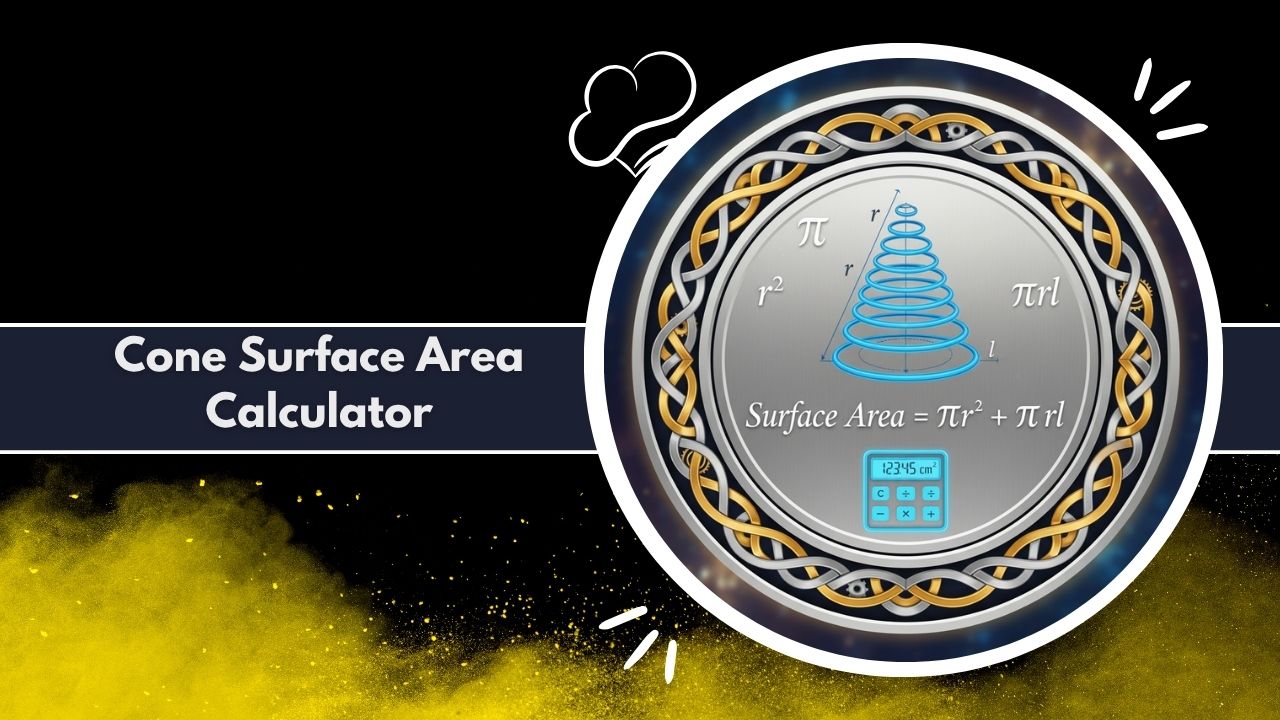
Use this advanced cone surface area calculator to find total, lateral, and base area. It supports units, precision, and provides formulas and a full breakdown for any cone.
Tip: Use slant to override auto-calculation.
Results
Computation Table
| Parameter | Value |
|---|---|
| Radius (r) | – |
| Height (h) | – |
| Slant height (s) | – |
| Base Area (πr²) | – |
| Lateral Surface Area (πrs) | – |
| Total Surface Area (πr(r+s)) | – |
Understanding the geometry of three-dimensional shapes is a fundamental aspect of mathematics, engineering, and design. Among these shapes, the cone is a particularly fascinating and common structure, appearing in everything from architectural spires to industrial funnels. While its volume is a straightforward calculation, its surface area presents a more complex challenge, involving multiple components.
Calculating this manually requires a firm grasp of geometry and algebra. This is why many students and professionals rely on a cone surface area calculator to achieve fast and accurate results. This article explores the intricacies of calculating a cone’s surface area and the immense utility of a dedicated cone surface area calculator in simplifying this process.
A cone is defined by its circular base and a single apex. The challenge in its surface area lies in its two distinct parts: the flat circular base and the sloping lateral, or side, surface. A cone surface area calculator is a specialized digital utility designed to compute these values automatically.
Users provide basic dimensions, and the tool applies the necessary geometric formulas to return the base area, the lateral surface area, and the total surface area. It removes the burden of manual calculation, eliminates the high risk of arithmetic errors, and provides a comprehensive breakdown of the cone’s properties.
For anyone working with geometry, from a high school student to a mechanical engineer, a reliable cone surface area calculator is an indispensable resource.
What is a Cone Surface Area Calculator?
At its core, a cone surface area calculator is a powerful tool that automates the complex formulas used to measure the exterior surfaces of a cone. Manually, a person must first identify the cone’s radius (r), its vertical height (h), and its slant height (s). These components are related by the Pythagorean theorem, and finding the area requires using the value of pi. This multi-step process is tedious and highly susceptible to error, especially when dealing with complex numbers or converting units.
A cone surface area calculator streamlines this entire workflow. It provides a simple interface where a user inputs their known values. The tool’s internal logic then executes all the necessary calculations in an instant. It is far more than a simple answer-finder; a high-quality cone surface area calculator serves as an educational and professional aid.
It not only provides the final answers but also shows the intermediate values and the formulas used, reinforcing the user’s understanding of the underlying geometry. This makes the cone surface area calculator an excellent companion for homework, design projects, and material estimations.
Whether for academic purposes or real-world applications, this tool provides the confidence that the figures are accurate and comprehensive. The value of a good cone surface area calculator is measured in the time it saves and the accuracy it guarantees.
Exploring the Capabilities of a Modern Calculator
The functionality of a modern cone surface area calculator extends far beyond basic computation. It is designed to be flexible, comprehensive, and adaptable to a wide range of user needs, from simple academic problems to complex industrial designs.
Flexible Inputs: Radius, Height, and Slant
The primary flexibility lies in its inputs. While many basic tools require both the radius (r) and the vertical height (h), a more advanced cone surface area calculator offers greater versatility. It understands that in some real-world scenarios, the vertical height may not be known, but the slant height (s)—the distance from the apex to any point on the edge of the base—is. This cone surface area calculator allows the user to input the radius and height, or the radius and slant height.
If the vertical height is provided, the tool automatically computes the slant height as a necessary step for the lateral area formula. If the slant height is provided optionally, it uses that value directly, overriding the height-based calculation. This adaptability makes the cone surface area calculator far more useful for diverse problem sets.
Comprehensive Outputs: More Than Just the Total
Once the inputs are processed, the true power of a comprehensive cone surface area calculator becomes apparent in its outputs. It doesn’t just return a single number for the total area.
Instead, it provides a full, granular breakdown of every component. This includes the Base Area (the area of the bottom circle), the Lateral Surface Area (the area of the sloped side), and finally, the Total Surface Area (the sum of the base and lateral areas). This detailed output is crucial for applications where only one component is needed, such as calculating the amount of paint for the side of a conical roof, which would only require the lateral area.
Practical Units and Precision Control
Furthermore, a professional-grade cone surface area calculator addresses the practical needs of measurement. Real-world objects are not measured in abstract “units.” This tool allows users to specify their measurements in various common units, such as centimetres (cm), metres (m), millimetres (mm), inches (in), or feet (ft).
The cone surface area calculator then performs the computation and presents the final area in the correct corresponding squared units (e.g., cm^2, ft^2), eliminating any chance of unit conversion errors. Alongside this, it offers control over decimal precision.
A user can choose the number of decimal places for the results, ensuring the output meets the accuracy standards for any project, from simple homework to precise engineering specifications. This level of control is a hallmark of a truly useful cone surface area calculator.
Advanced Data Presentation: Tables and Charts
The presentation of data is another critical feature. A well-designed cone surface area calculator displays the results in multiple formats to suit different learning and professional styles. It typically includes a clean, easy-to-read summary table that itemizes every parameter, from the given inputs (radius, height) to all the calculated values (slant height, base area, lateral area, total area). This table provides a complete snapshot of the cone’s geometry.
To enhance understanding, this cone surface area calculator also generates a visual aid, such as a doughnut or pie chart. This chart visually represents the ratio of the base area to the lateral surface area, offering an intuitive, at-a-glance understanding of which component contributes more to the total surface area.
Data Portability: Export and Share Results
Finally, a top-tier cone surface area calculator understands that data is meant to be used, not just viewed. It incorporates features for data portability. Users can instantly export the entire computation table into a CSV (Comma-Separated Values) file. This allows the data to be easily imported into spreadsheets like Excel, reports, or design documents.
Additionally, a share function is often included, enabling the user to send a concise summary of the results to a colleague, classmate, or supervisor via a link or text. These features transform the cone surface area calculator from a simple computational widget into a robust part of a professional or academic workflow. Every feature within this cone surface area calculator is designed to provide accuracy, insight, and utility.
The Mathematics Behind the Cone Surface Area Calculator
To fully appreciate the efficiency of a cone surface area calculator, it is essential to understand the mathematical formulas it automates. These formulas are derived from fundamental geometric principles. A cone surface area calculator processes these steps in an instant, but here is a full explanation of what is happening behind the scenes.
The calculation is broken into three main parts: finding the slant height (if not provided), calculating the base area, and calculating the lateral surface area.
1. Slant Height (s): The Critical Component
The slant height, or s, is the diagonal distance from the cone’s apex to a point on the circumference of its base. It is not the same as the vertical height, h. The radius (r), vertical height (h), and slant height (s) form a right-angled triangle.
If r and h are known, the cone surface area calculator first finds s using the Pythagorean theorem:
a^2 + b^2 = c^2
r^2 + h^2 = s^2
Therefore, the formula for slant height is:
s = sqrt(r^2 + h^2)
This s value is absolutely essential for finding the lateral area. If a user provides s directly, the cone surface area calculator skips this step.
2. Base Area (A_base): The Circular Foundation
This is the most straightforward part of the calculation. The base of a cone is a simple circle. The formula for the area of a circle is:
A_base = pi * r^2
The cone surface area calculator computes this value and presents it as one of the key outputs.
3. Lateral Surface Area (A_lateral): The Sloping Side
This is the most complex component. If you were to “unroll” the side of the cone, it would not form a rectangle. Instead, it forms a sector of a larger circle. The radius of this large sector would be the cone’s slant height (s), and the arc length of the sector would be the circumference of the cone’s base (2 * pi * r).
Through geometric derivation, the formula for this sector’s area—the cone’s lateral surface area—is found to be:
A_lateral = pi * r * s
This formula is why the cone surface area calculator must have the slant height (s). It multiplies pi by the radius and the slant height to find the area of the entire sloping side.
4. Total Surface Area (A_total): The Sum of the Parts
Finally, the total surface area is simply the sum of the two distinct surfaces: the base and the lateral side.
A_total = A_base + A_lateral
By substituting the individual formulas, we get the complete, single-line formula that a cone surface area calculator often uses:
A_total = (pi * r^2) + (pi * r * s)
This can also be factored for simplicity:
A_total = pi * r * (r + s)
A reliable cone surface area calculator performs all these calculations simultaneously. It not only uses these formulas but also provides a step-by-step breakdown, showing the user exactly how the inputs were used to arrive at the base, lateral, and total surface areas, making it a transparent and educational tool. The cone surface area calculator manages all of this, including the complex s calculation, instantly.
A Practical Walkthrough
To illustrate the process, let’s trace the journey of a user solving a common geometry problem with the cone surface area calculator. The task is to find the total surface area of a cone that has a base radius of 3 cm and a vertical height of 4 cm.
Step 1: Entering the Known Values
The process begins with the user identifying their known measurements: r = 3 cm and h = 4 cm. They approach the cone surface area calculator and enter these values into their respective fields. They also note that the “slant height” field can be left empty, as the tool will compute it automatically. The user then selects “cm” from the units menu and chooses their desired precision, for example, 3 decimal places.
Step 2: The Instantaneous Calculation
The moment the user initiates the calculation, the cone surface area calculator springs to action. First, it calculates the unknown slant height (s) using the Pythagorean theorem: s = sqrt(r^2 + h^2) = sqrt(3^2 + 4^2) = sqrt(9 + 16) = sqrt(25) = 5 cm.
With s = 5 cm, the cone surface area calculator proceeds to the area formulas:
- Base Area: A_base = pi * r^2 = pi * 3^2 = 9*pi
- Lateral Area: A_lateral = pi * r * s = pi * 3 * 5 = 15*pi
- Total Area: A_total = A_base + A_lateral
Step 3: Reviewing the Comprehensive Results
Instantly, the cone surface area calculator displays these results, all formatted to 3 decimal places. The user sees a clear summary, similar to this:
| Parameter | Formula | Value |
|---|---|---|
| Radius (r) | Input | 3 cm |
| Height (h) | Input | 4 cm |
| Slant Height (s) | sqrt(r^2 + h^2) | 5.000 cm |
| Base Area | pi * r^2 | 28.274 cm^2 |
| Lateral Surface Area | pi * r * s | 47.124 cm^2 |
| Total Surface Area | Base + Lateral | 75.398 cm^2 |
Below this summary, the cone surface area calculator provides the full breakdown, showing the formulas it used and how the inputs were plugged in. The user can also see the visual chart, which clearly shows that the lateral area (47.124) is a larger component of the total area than the base area (28.274). If this were for a report, the user could now click to download the CSV file containing this data. This entire analytical process, which might take 5-10 minutes manually, is completed in under a second by the cone surface area calculator.
Real-World Applications Across Industries
The need to calculate a cone’s surface area is not just an academic exercise; it is a critical task in numerous fields. A cone surface area calculator finds practical use in engineering, architecture, manufacturing, and even education, serving as a vital tool for professionals and students alike.
Engineering and Manufacturing
In mechanical and civil engineering, conical shapes are common. Funnels, hoppers, nozzles, and certain types of vessels are all cone-based. Engineers use a cone surface area calculator to determine the amount of material required to construct these components. This directly impacts material costs, weight calculations, and manufacturing processes.
For example, when designing a specialized nozzle, the lateral surface area is needed to calculate friction or heat transfer properties. A cone surface area calculator provides this value quickly and accurately.
Architecture and Construction
Conical roofs, known as spires or turrets, are striking architectural features. Builders and architects must calculate the lateral surface area of these roofs to estimate the amount of roofing material needed, such as shingles, copper, or slate. An accurate calculation from a cone surface area calculator is essential for budgeting and ordering supplies, preventing costly over-ordering or work-stopping shortages. This is a clear case where a cone surface area calculator saves real money.
Packaging and Product Design
The packaging industry frequently uses conical shapes for products like ice cream cones, drinking cups, and certain types of containers. The lateral surface area of the cone corresponds to the 2D paper or plastic template that is cut and rolled to form the product. Designers use a cone surface area calculator to design these templates (known as “nets”), optimize material usage, and plan the printing layout for branding and labels.
Education and Academia
The most frequent user of a cone surface area calculator is often the student. In geometry, trigonometry, and calculus classes, problems involving cones are staples. A cone surface area calculator serves as an excellent learning aid. Students can use it to check their homework, ensuring they have performed the manual calculations correctly.
The formula breakdown feature is particularly valuable, as it reinforces the correct application of the Pythagorean theorem and the area formulas. It acts as a digital tutor, confirming the steps and helping to solidify the student’s understanding.
Hobbyists and DIY Projects
From building custom speaker enclosures and model rockets (where the nose cone’s surface area is key for aerodynamics) to crafting pottery or festive decorations, many DIY projects involve cones. A cone surface area calculator empowers hobbyists to plan their projects accurately, calculate material needs, and execute their designs with greater precision. This wide range of applications underscores the utility of a readily available and accurate cone surface area calculator.
The Advantages of a Dedicated Calculator
While it is possible to perform these calculations manually, the advantages of using a specialized cone surface area calculator are significant. The benefits go beyond mere convenience and touch upon accuracy, efficiency, and comprehension.
1. Unmatched Speed and Efficiency
The most immediate benefit is speed. A cone surface area calculator delivers an answer in the time it takes to type in two numbers. The manual process, in contrast, involves finding the correct formulas, calculating the slant height, substituting values, and performing multiple calculations with pi, all ofwhich is time-consuming. In a professional setting, this time saved is a direct increase in productivity.
2. Elimination of Human Error
Manual calculations are fraught with potential pitfalls. A simple slip in arithmetic, a misplaced decimal point, or forgetting to take the square root for the slant height can lead to a completely incorrect answer. A cone surface area calculator eliminates this risk. Its algorithms are tested and precise. For engineering or construction, where accuracy is paramount, relying on a cone surface area calculator is a matter of professional integrity.
3. Comprehensive and Detailed Results
A person calculating manually might only solve for the total surface area. A good cone surface area calculator provides a complete geometric profile of the cone. It returns the base area, lateral area, total area, and the slant height simultaneously. This comprehensive output is far more useful, as different applications often require different components of the total area.
4. Enhanced Learning and Understanding
Instead of being a “black box” that just provides an answer, a high-quality cone surface area calculator is an educational tool. By displaying the exact formulas it used and providing a step-by-step breakdown of the calculation (as seen in the r=3, h=4 example), it reinforces the geometric principles. A student can compare their manual work against the tool’s breakdown, step by step, to find exactly where they went wrong. This makes the cone surface area calculator a powerful study aid.
5. Versatility for All Needs
The built-in flexibility of a modern cone surface area calculator is a major advantage. The ability to handle different units (cm, m, in, ft) and choose the input (height vs. slant height) makes the same tool equally valuable for a student with a textbook problem and an engineer with real-world measurements. The precision control further allows the output to be tailored for any context.
6. Data Portability and Integration
The final advantage lies in its utility. The ability to export results to a CSV file or share them directly integrates the cone surface area calculator into a larger workflow, bridging the gap between calculation and documentation.
Frequently Asked Questions (FAQ)
What is the total surface area (TSA) of a cone?
The total surface area is the sum of all its surfaces. For a cone, this is the area of its flat circular base plus the area of its sloping lateral (side) surface. A cone surface area calculator provides this value as the main result.
What is the lateral surface area (LSA) of a cone?
The lateral surface area is the area of only the sloping side of the cone, from the base’s edge to the apex. It does not include the area of the flat circular base.
How is a cone’s height different from its slant height?
The height (h) is the perpendicular, vertical distance from the center of the base to the apex. The slant height (s) is the diagonal distance from any point on the edge of the base up the side to the apex. They form a right triangle with the radius (r).
What is the formula for a cone’s total surface area?
The formula is TSA = pi * r * (r + s), where r is the radius and s is the slant height. A cone surface area calculator automates this formula.
How do you find the slant height (s) if you only have radius (r) and height (h)?
You use the Pythagorean theorem, as r, h, and s form a right triangle. The formula is s = sqrt(r^2 + h^2). A good cone surface area calculator does this for you automatically.
What if I have the slant height but not the vertical height?
This is an ideal scenario for a flexible cone surface area calculator. You can input the radius (r) and the slant height (s) directly. The tool will not need the vertical height (h) to calculate the surface areas.
What units does this cone surface area calculator support?
A versatile cone surface area calculator supports a wide range of metric and imperial units, including centimetres (cm), metres (m), millimetres (mm), inches (in), and feet (ft). The area results will be given in the corresponding squared units.
Can I get the results as a spreadsheet?
Yes, a feature-rich cone surface area calculator provides an option to download the results table as a CSV file, which can be opened in Excel, Google Sheets, or any other spreadsheet software.
Does the calculator show the formulas it uses?
A high-quality cone surface area calculator is transparent. It provides a detailed breakdown showing the exact formulas (A_base = pi * r^2, A_lateral = pi * r * s, etc.) and how your input values were used to get the final answer.
What is the “precision” setting for?
The precision setting allows you to control the number of decimal places in the final answer. This is useful for matching the requirements of a school assignment or for engineering specifications that demand a high degree of accuracy.
Conclusion
From academic geometry to professional engineering, the calculation of a cone’s surface area is a frequent and critical task. While the formulas themselves are elegant, the manual calculation process is inefficient and prone to error. A cone surface area calculator stands as the definitive solution, offering a powerful blend of speed, precision, and educational value.
By providing a comprehensive breakdown of the base area, lateral area, and total area, and by supporting features like unit conversion, precision control, and data export, this tool transcends being a simple calculator.
It becomes a reliable partner for any project. For students, it is a study aid that reinforces understanding. For professionals, it is a productivity tool that ensures accuracy. When you need a fast, reliable, and complete answer, a dedicated cone surface area calculator is the most intelligent choice.
Related Tools & Calculators:
- Hexagon Area Calculator
- Irregular Shape Area Calculator
- Parallelogram Area Calculator
- Rectangle Area Calculator
- Rectangular Prism Surface Area Calculator
- Roof Area Calculator
- Cylinder Surface Area Calculator
- Triangular Prism Surface Area Calculator
- Body Surface Area Calculator
- Trapezoid Area Calculator